
Every machine has its schedule. Every worker has their list of jobs.
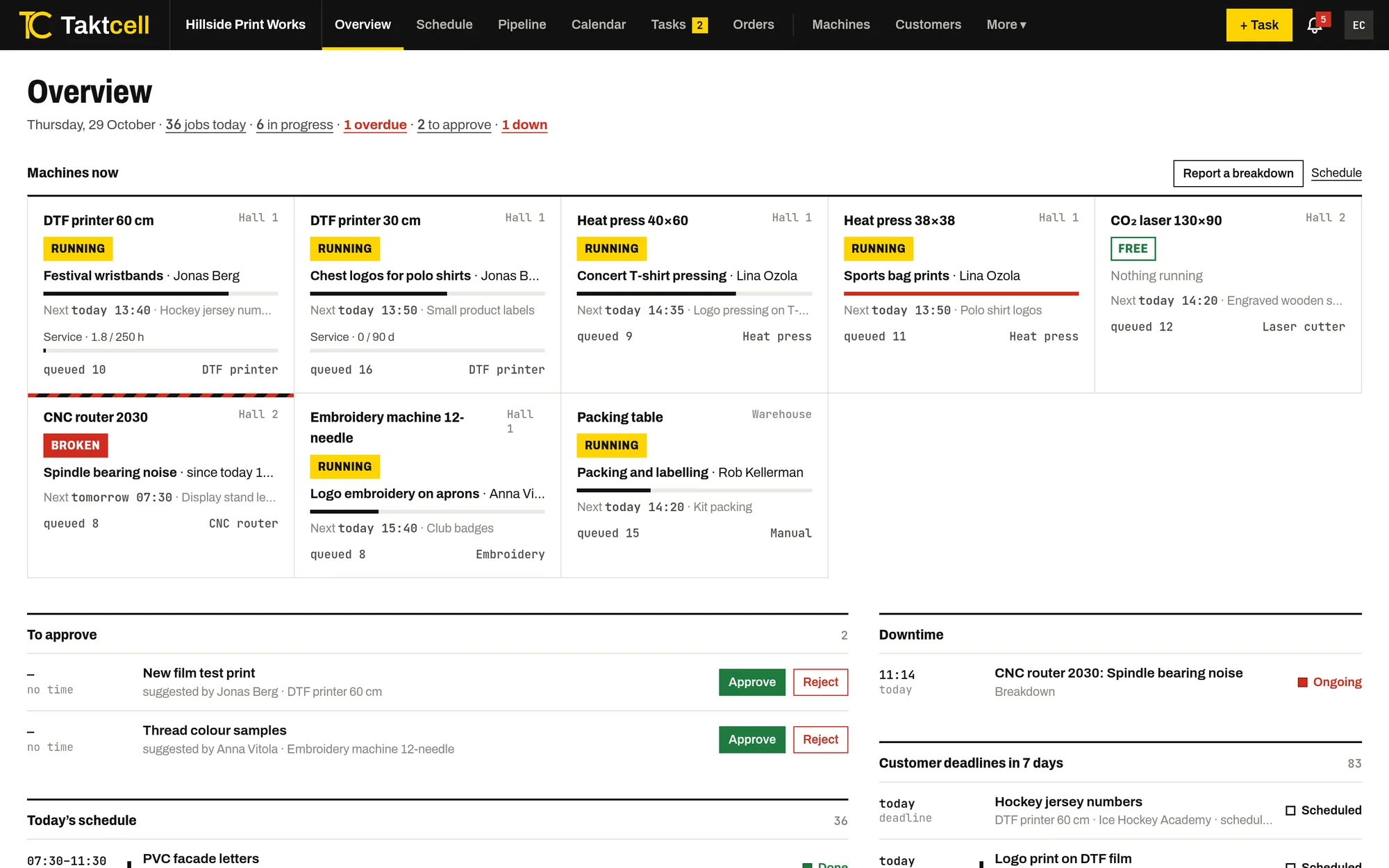
Taktcell shows what is happening on every machine right now, what comes next and who is responsible for it. Your team marks jobs as started and finished from their own phones.
Runs in the browser on desktop and phone. Nothing to install.
| Machine | Now | Operator | Next |
|---|---|---|---|
| DTF printer 60 cmRunning | Festival wristbands · 500 pcs | JB | Hockey jersey numbers · 45 sets |
| Heat press 40×60Running | Concert T-shirt pressing · 200 pcs | LO | Work jacket pressing · 120 pcs |
| Embroidery machine 12-needleRunning | Logo embroidery on aprons · 40 pcs | AV | Club badges · 60 pcs |
| CO₂ laser 130×90Down | Breakdown: lens alignment | ML | Engraved wooden souvenirs · 150 pcs |
| Packing tableFree | waiting for the next job | RK | Kit packing · 30 sets |
Demo data. In Taktcell the board changes as your team works.
A day on the floor with Taktcell
What happens between the first job of the shift and the last one.
- 06:00
The shift starts
Every operator opens their phone and sees their jobs in order. Nobody waits at the whiteboard.
Shop floor app - 08:40
A rush order comes in
“Next free slot” finds the first gap on the right machine. The order’s steps line up one after another.
Multi-step orders - 10:15
The laser stops
The operator reports a breakdown from the phone. The machine turns red on the board, and the breakdown shows on its schedule.
Machine maintenance - 12:30
One step runs late
The steps after it move with it, and the people on them get the new time.
Multi-step orders - 15:00
Service is due
The press has reached 500 run hours. Admins get a reminder before something breaks.
Machine maintenance - 17:00
The shift ends
Time is recorded on every job. You see what each order cost and what it earned.
Job costing and profit
From whiteboard and spreadsheet to one shared schedule
Taktcell holds a map of your production: machines, people and jobs. Everyone works from the same schedule instead of separate sheets and messages.
- ST-01
Add your machines and people
Each machine gets its own row in the schedule. Each person gets their own login and a role: admin or worker.
- ST-02
Plan the jobs
Set the machine, the person responsible, the duration, the customer and the deadline. “Next free slot” finds the first gap on the machine.
- ST-03
Your team updates jobs from the phone
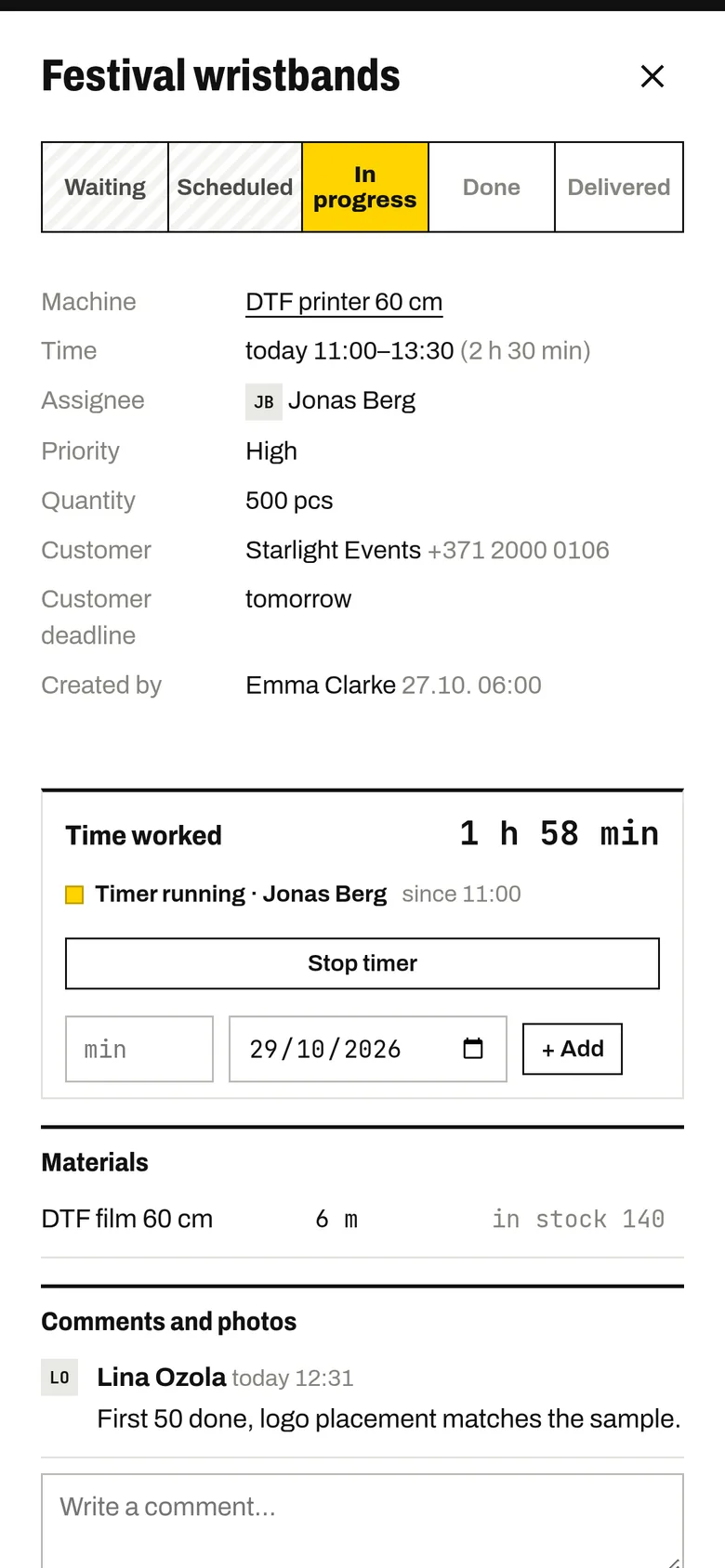
A worker taps “In progress” and “Done”, and the timer records the time. You see progress without walking the floor.
This is the real app
Screenshots from Taktcell with demo data: the overview on a computer and a job on a worker’s phone.
What you can do with Taktcell
The parts that cover the daily planning of a production floor, from the first quote to the finished job.
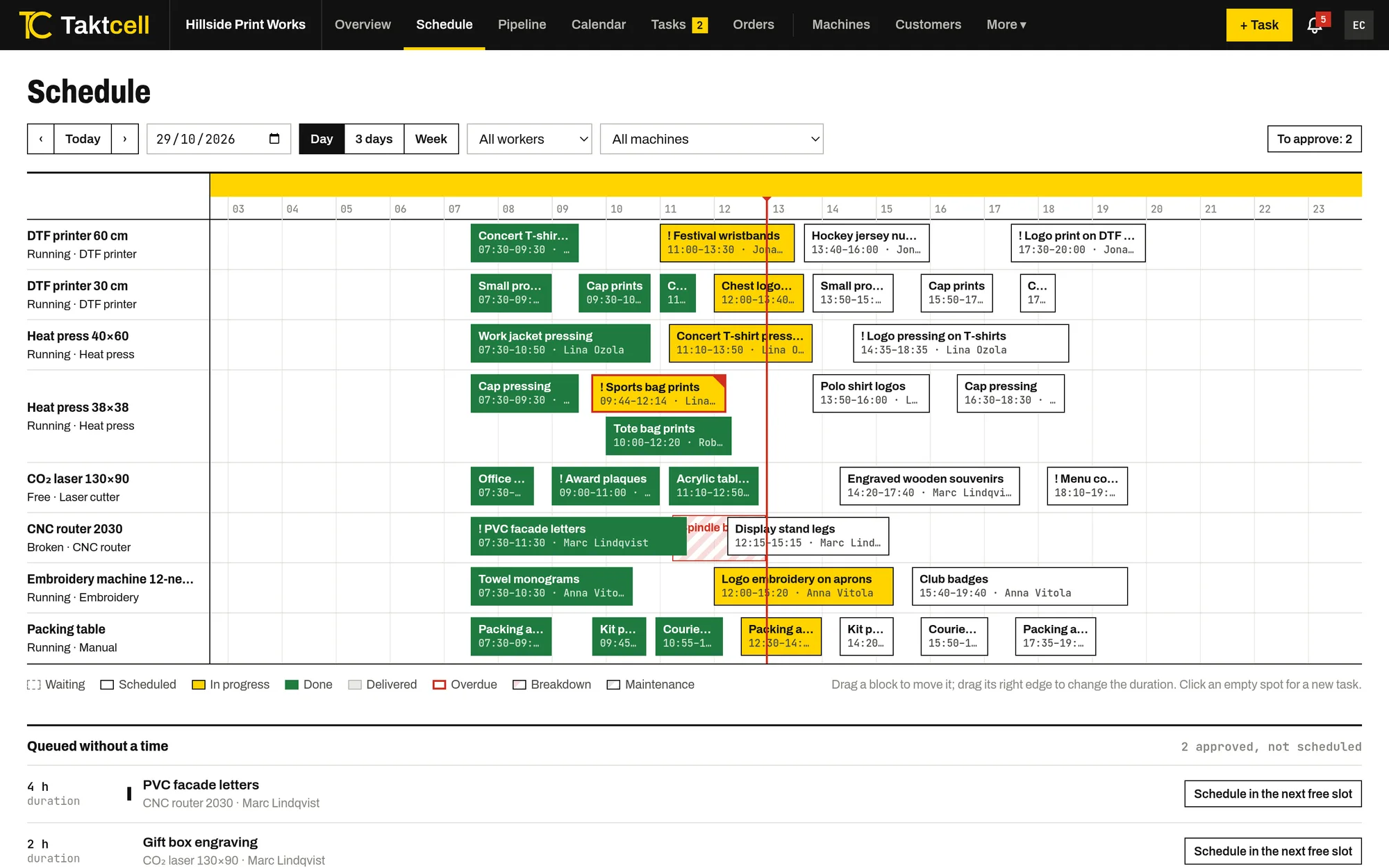
Production scheduling
Every machine on one time line. Drag jobs to another time or machine and see conflicts before they happen.
Read more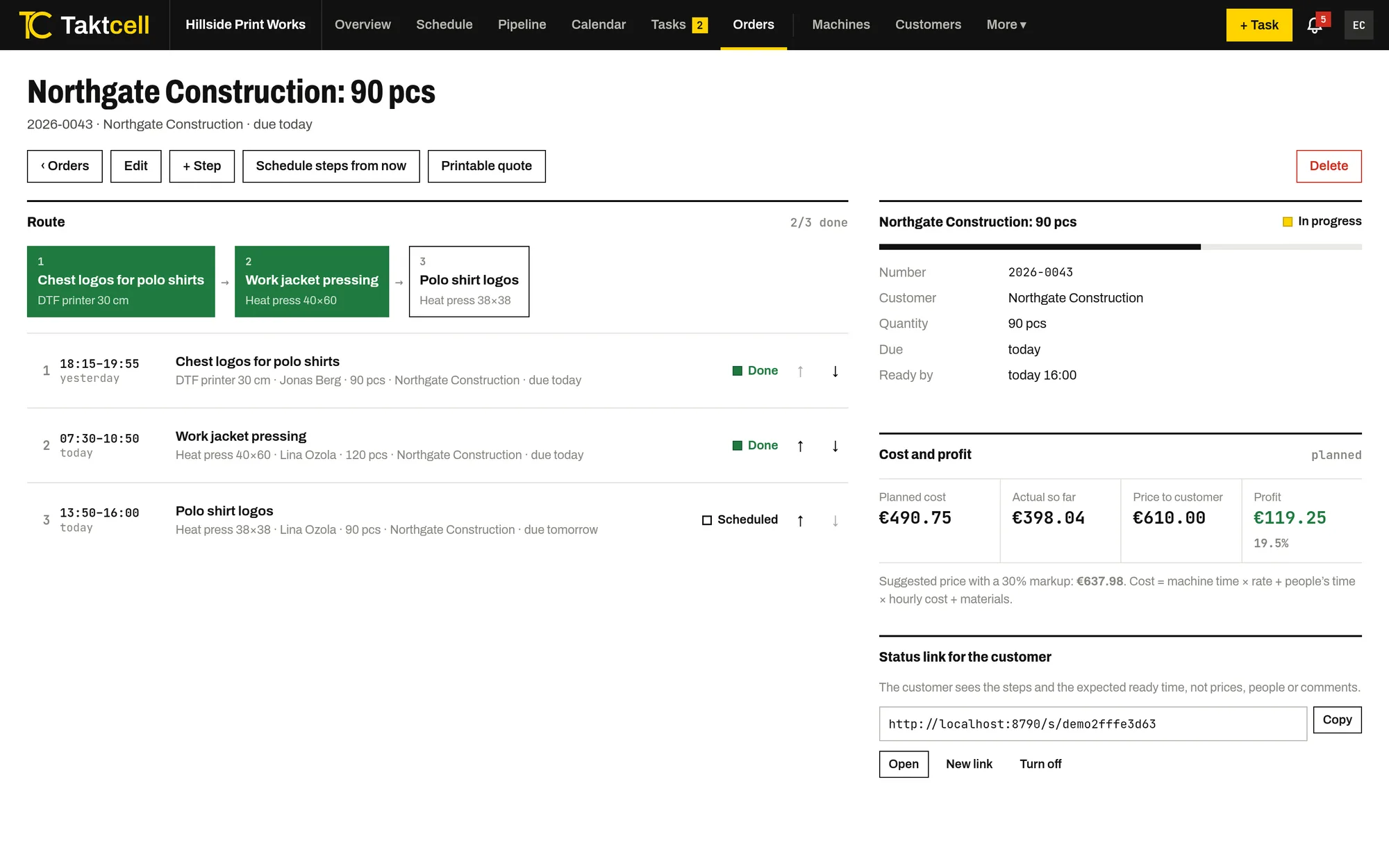
Multi-step orders
One order, several machines in sequence. Steps are scheduled one after another, and a late step pushes the next ones back.
Read more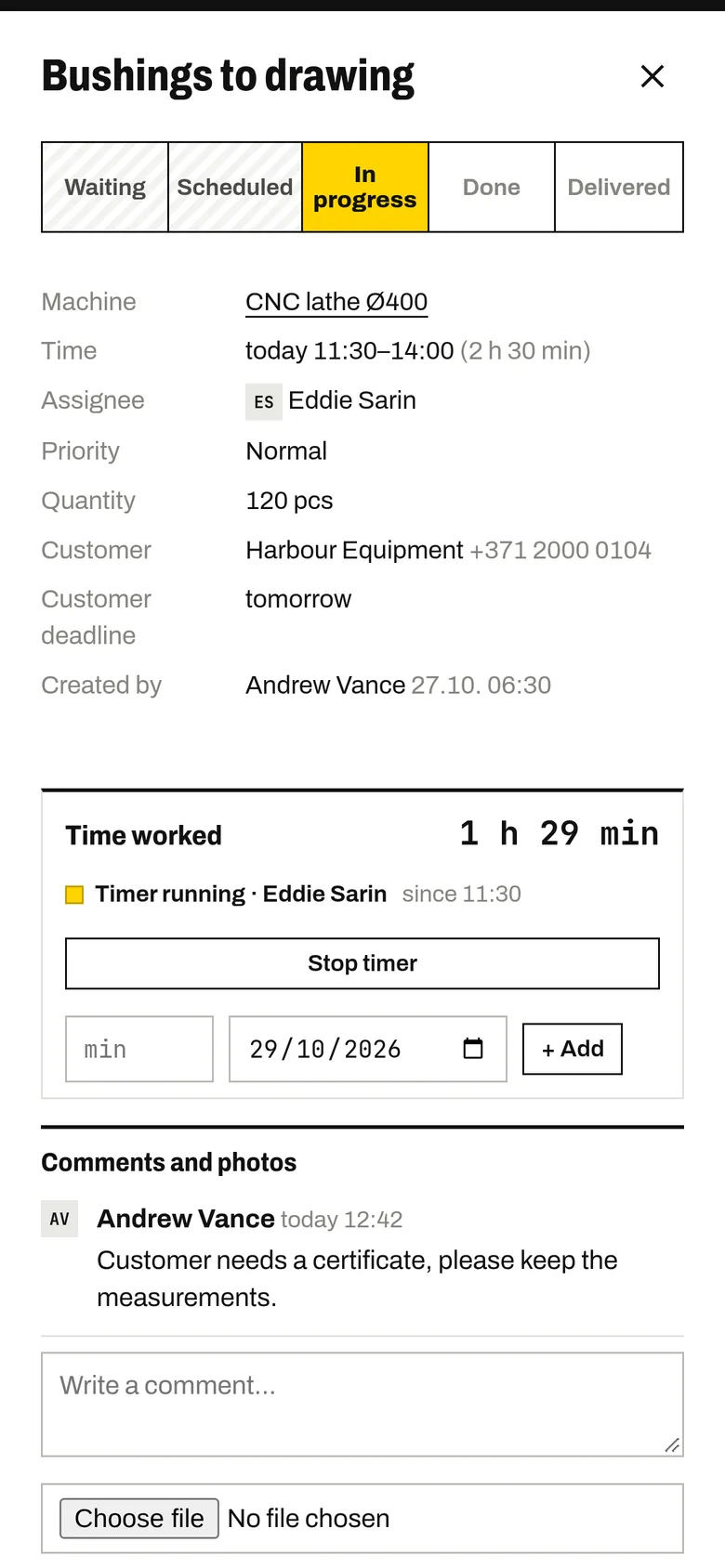
Shop floor app
Your team marks jobs as started and finished from their own phones. The timer records the time worked.
Read more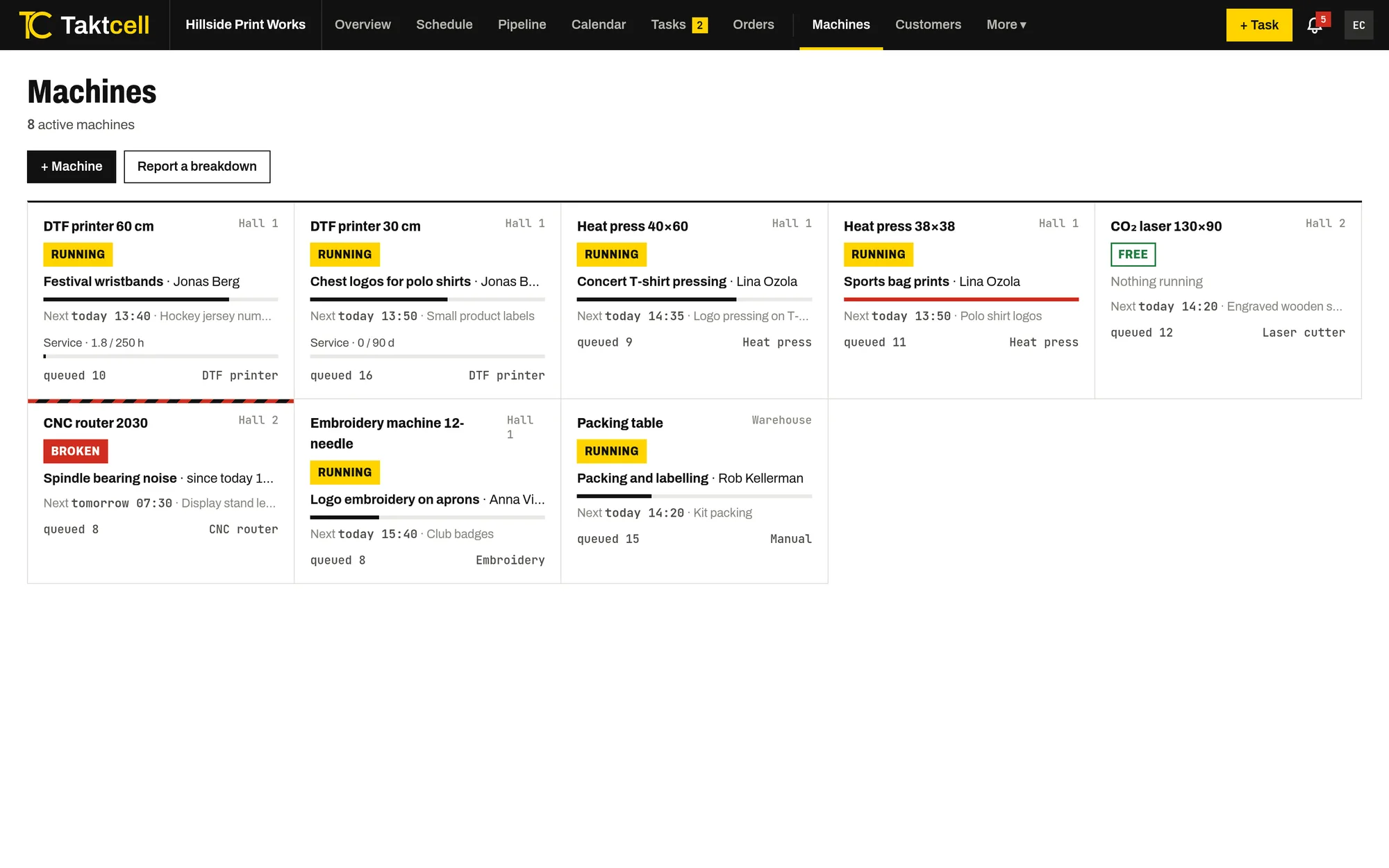
Machine maintenance
Planned maintenance takes the machine’s time in the schedule, and a breakdown blocks it until it is fixed.
Read more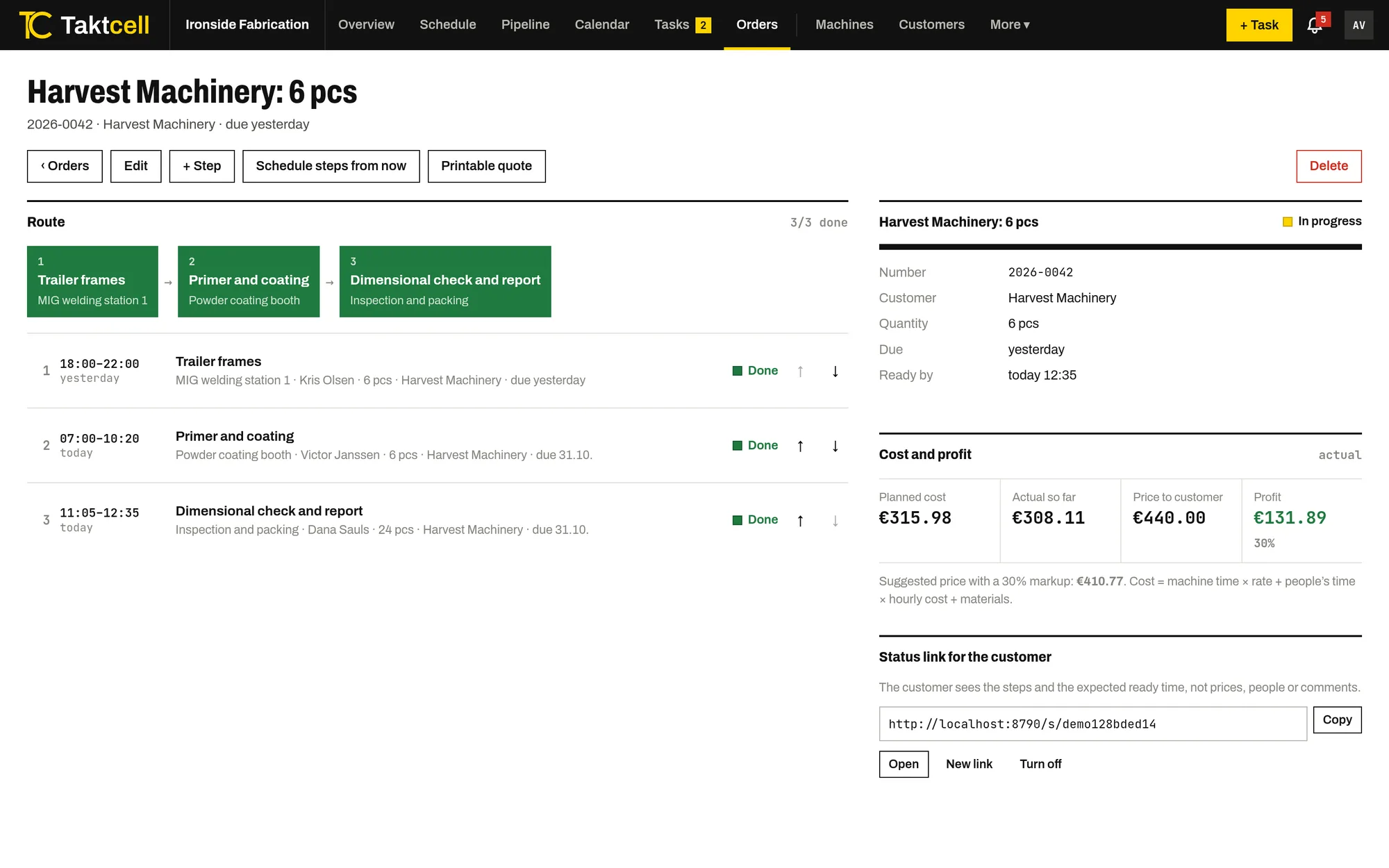
Job costing and profit
Every job and order shows its cost from machine time, people's time and materials, next to the price and the profit.
Read more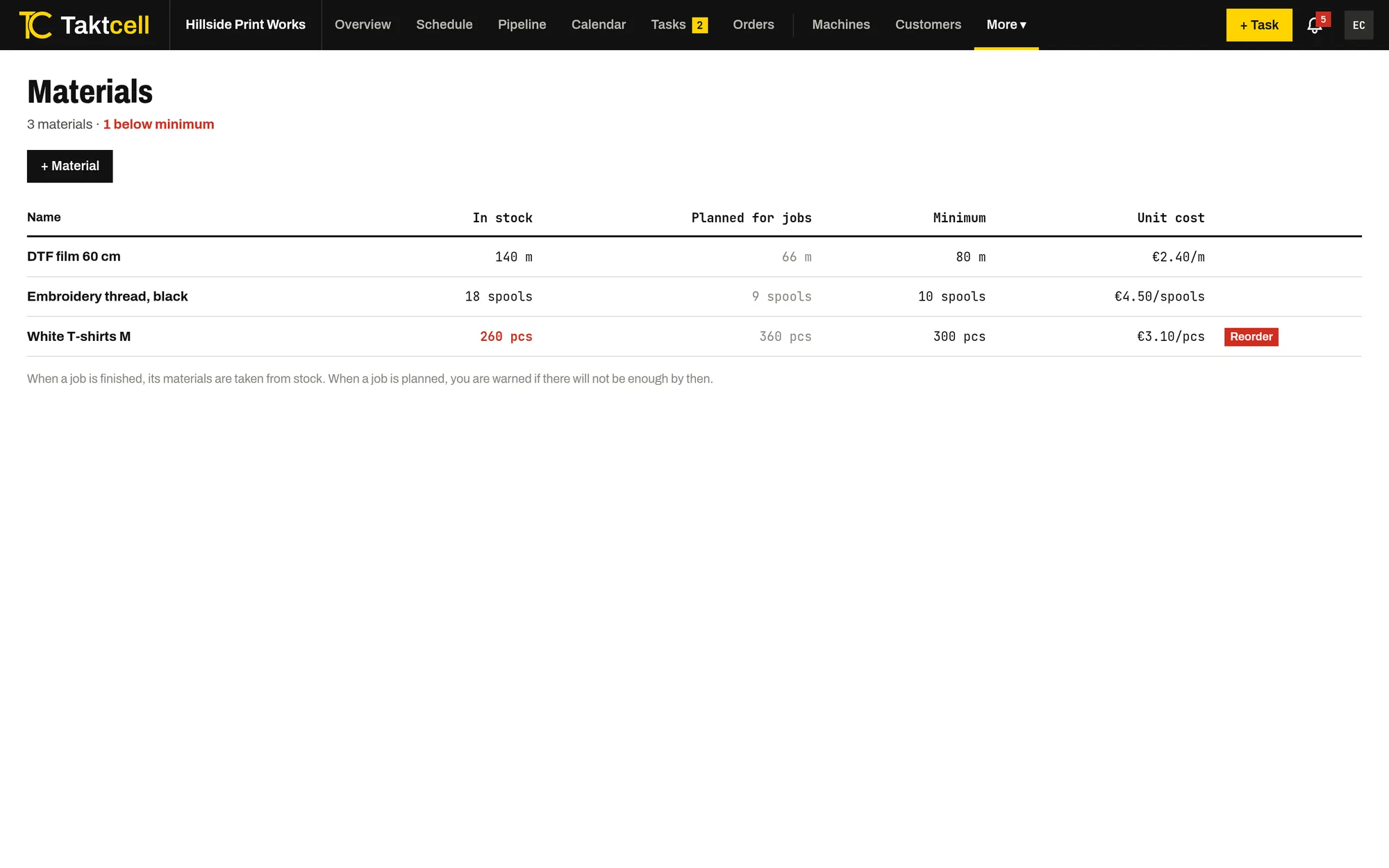
Materials and stock
Stock for the materials your jobs use up. A finished job takes its materials from stock, and planning warns when there won't be enough.
Read more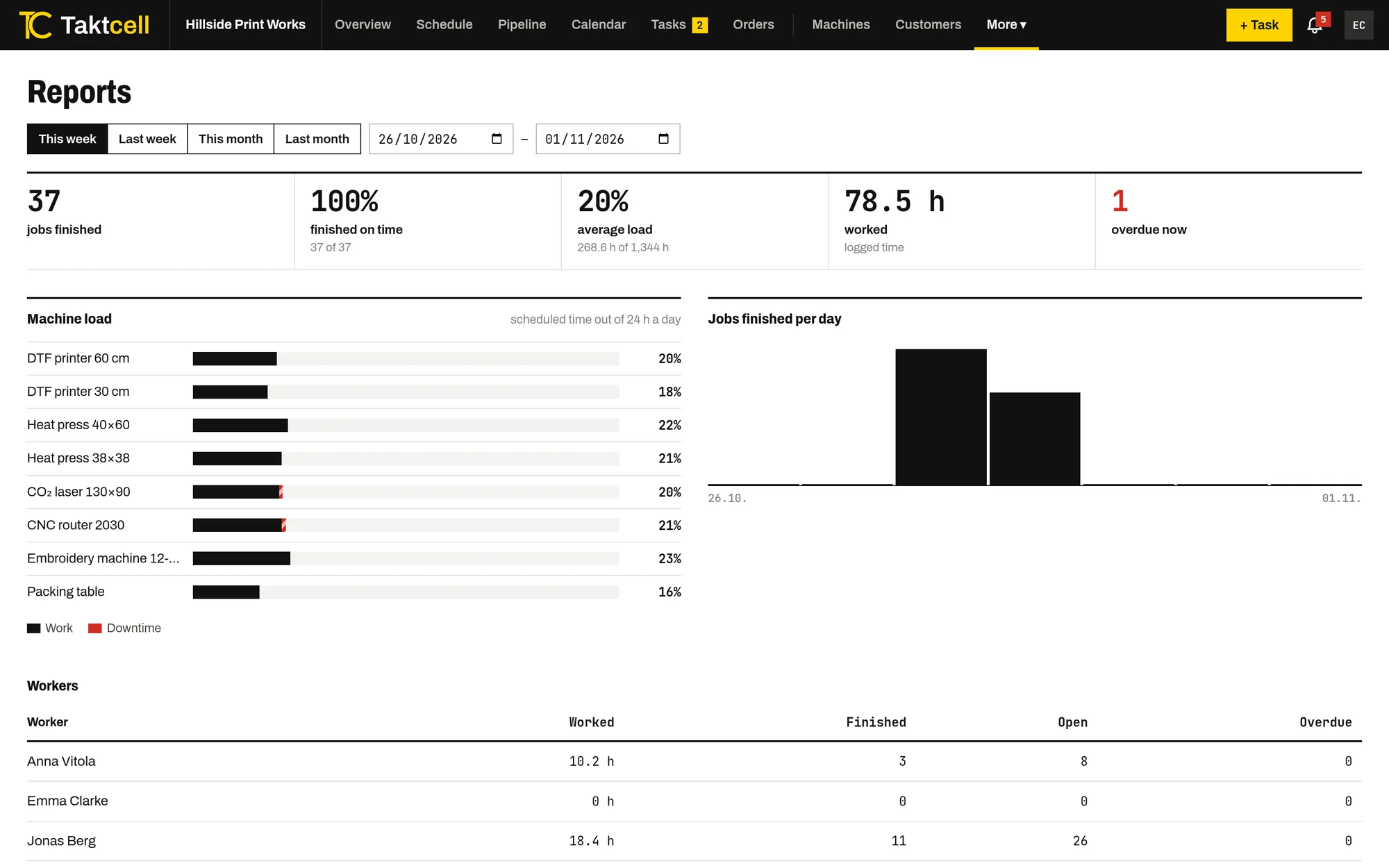
Reports
Machine utilisation, downtime, on-time completion and hours worked per person for any period.
Read moreOne system for different kinds of production
Your machines, jobs and units are your own. Here are four examples of how Taktcell looks in different plants.
Print and apparel
DTF printing, heat pressing, embroidery and laser work. One order often moves across several machines, and each step has its own owner.
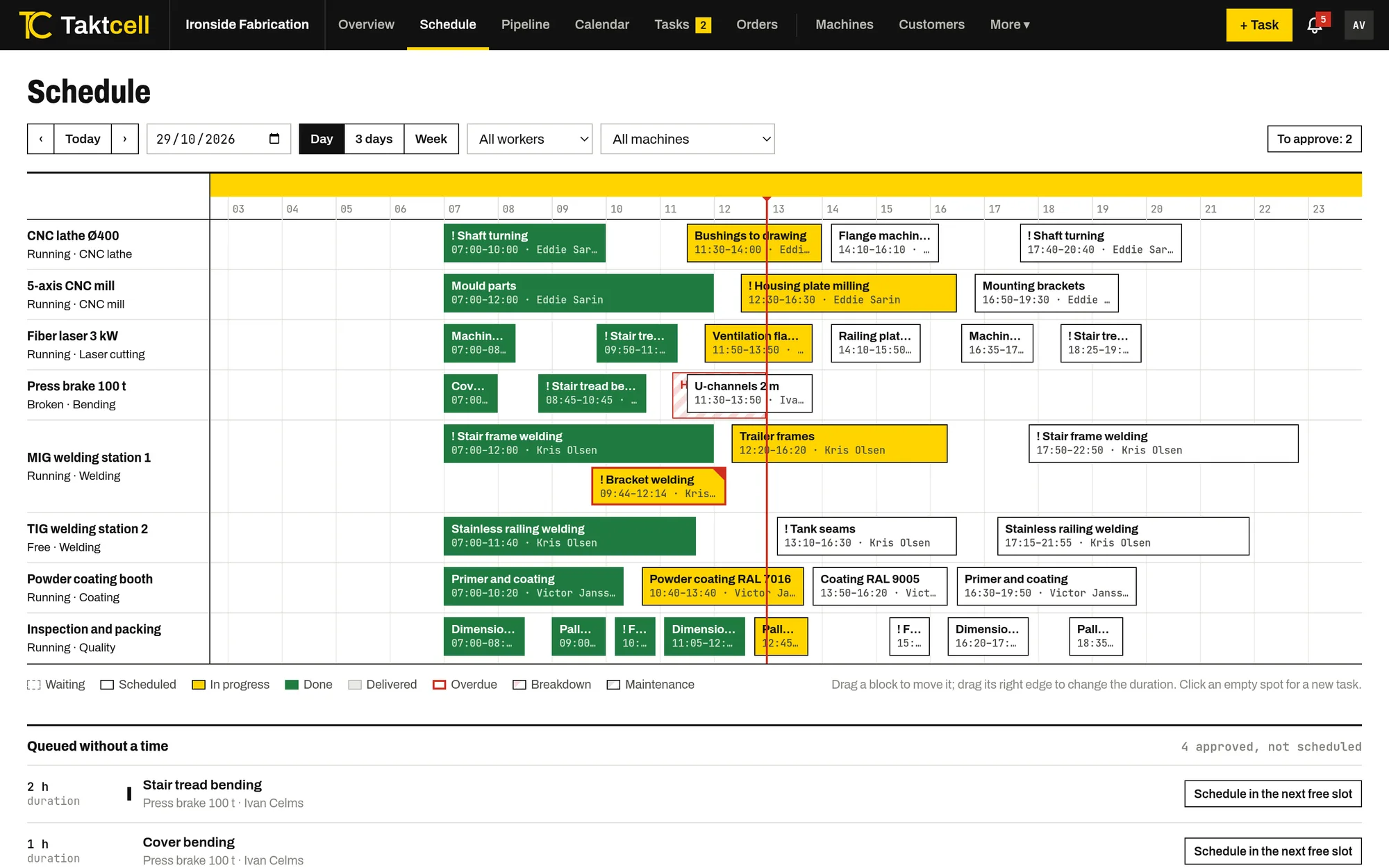
Metal fabrication
CNC machining, laser cutting, bending, welding and coating. Long jobs, machine downtime and inspection sit in one schedule.
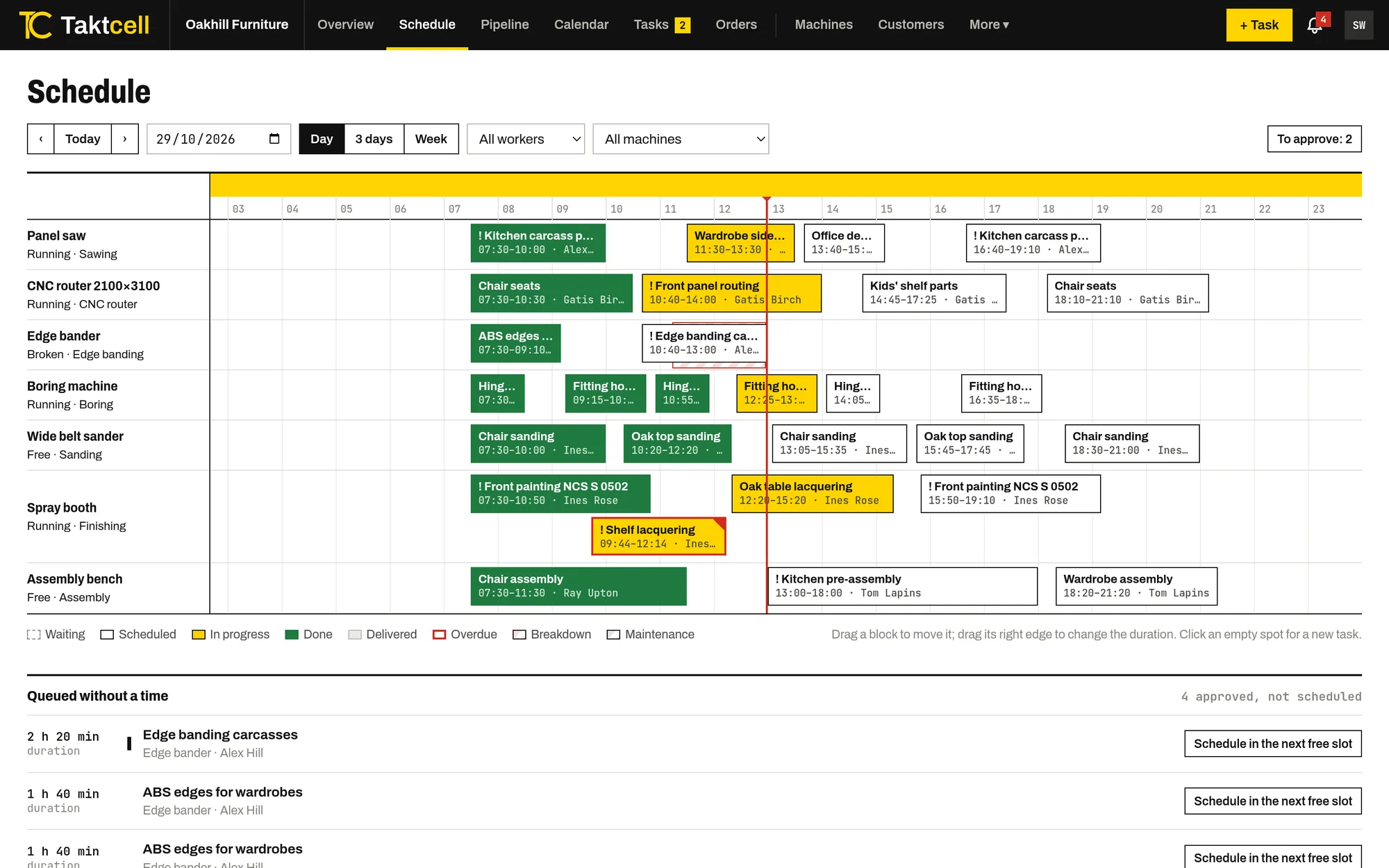
Furniture and woodworking
Panel cutting, CNC routing, edge banding, finishing and assembly. Each order passes several stages, and the board shows where it is.
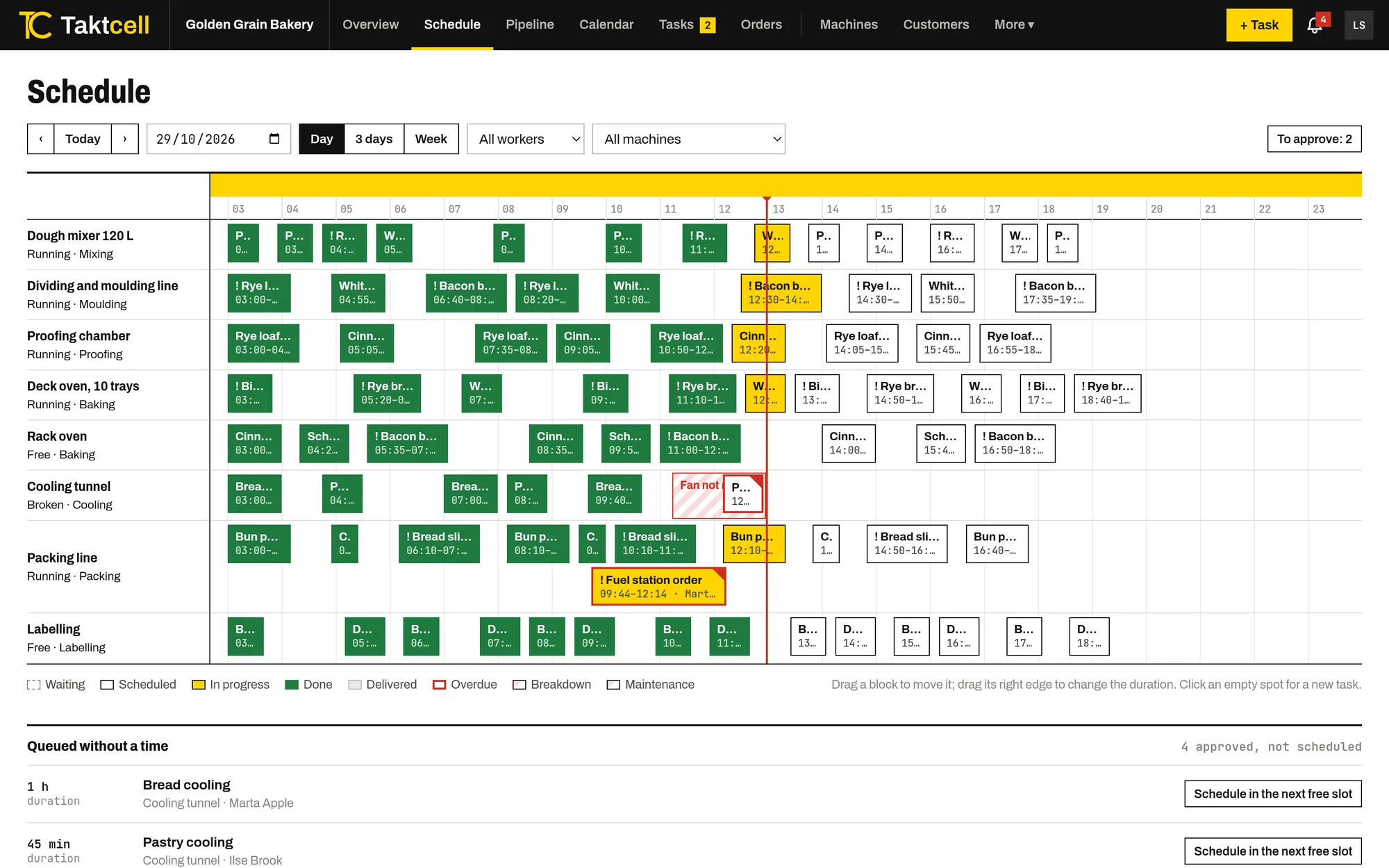
Food and bakery
Mixing, proofing, baking, cooling and packing. The shift starts at night and jobs are short and frequent, so the schedule shows the full day.
Who Taktcell is for, and who it is not for
Taktcell plans machine time and people’s work, with simple stock for the materials jobs use. It is not a full MRP system.
A good fit if you need to
- see what is happening on every machine now and what comes next;
- plan orders that pass several machines and know when they will be ready;
- know what each job costs and whether it made money;
- give jobs to specific people and follow their progress;
- replace a whiteboard, a spreadsheet or messages on the phone;
- plan maintenance and record downtime;
- record the time worked on each job.
Not a fit if you need
- full inventory management with purchasing and supplier orders;
- bills of materials (BOM) and MRP calculations;
- lot tracking and traceability;
- invoicing and accounting.