Features

Taktcell covers daily production planning from the quote to the finished job. Each part has its own page with the details.

Production scheduling

Every machine on one time line. Drag jobs to another time or machine and see conflicts before they happen.

  • Day, three-day and week views
  • Warnings for overlapping jobs, maintenance and double-booked people
  • “Next free slot” finds the first gap on a machine
  • Any hour of the day, including night shifts
Read more
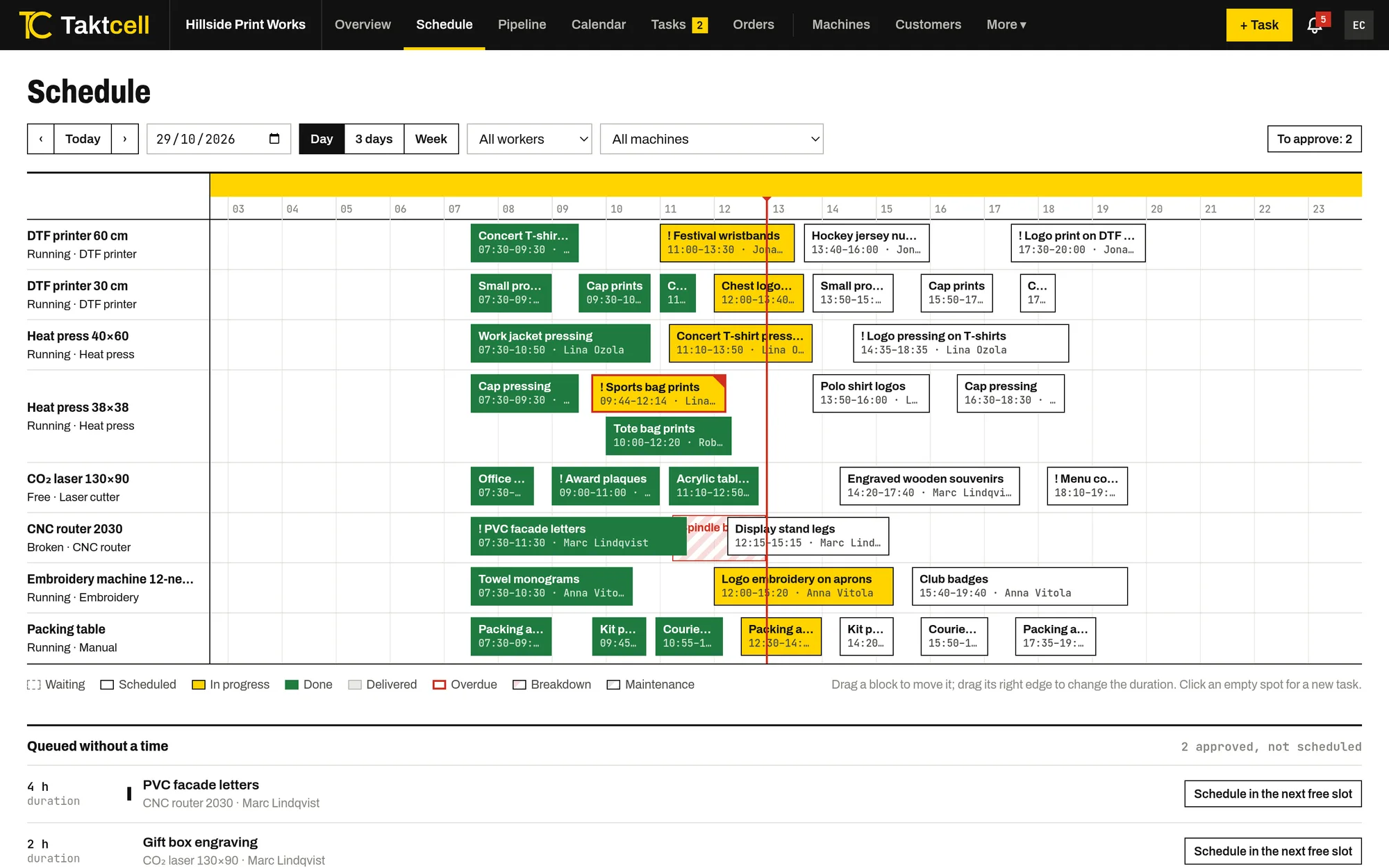
Day schedule with eight machines in rows and jobs as blocks along a 24-hour time line

Multi-step orders

One order, several machines in sequence. Steps are scheduled one after another, and a late step pushes the next ones back.

  • Steps chained on their machines automatically
  • Late steps move the following ones and notify people
  • Quotes that become scheduled orders
  • A status link for the customer
Read more
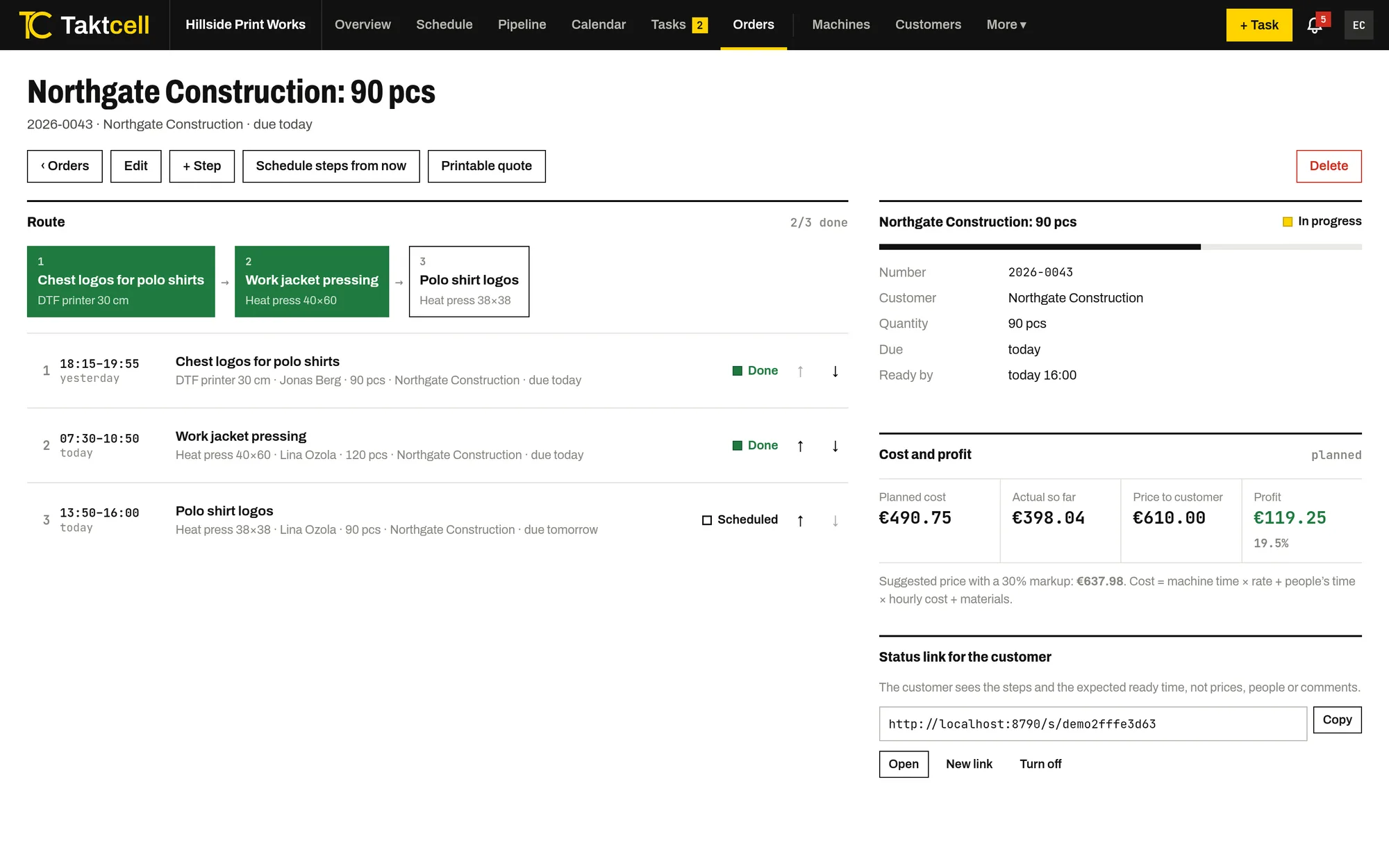
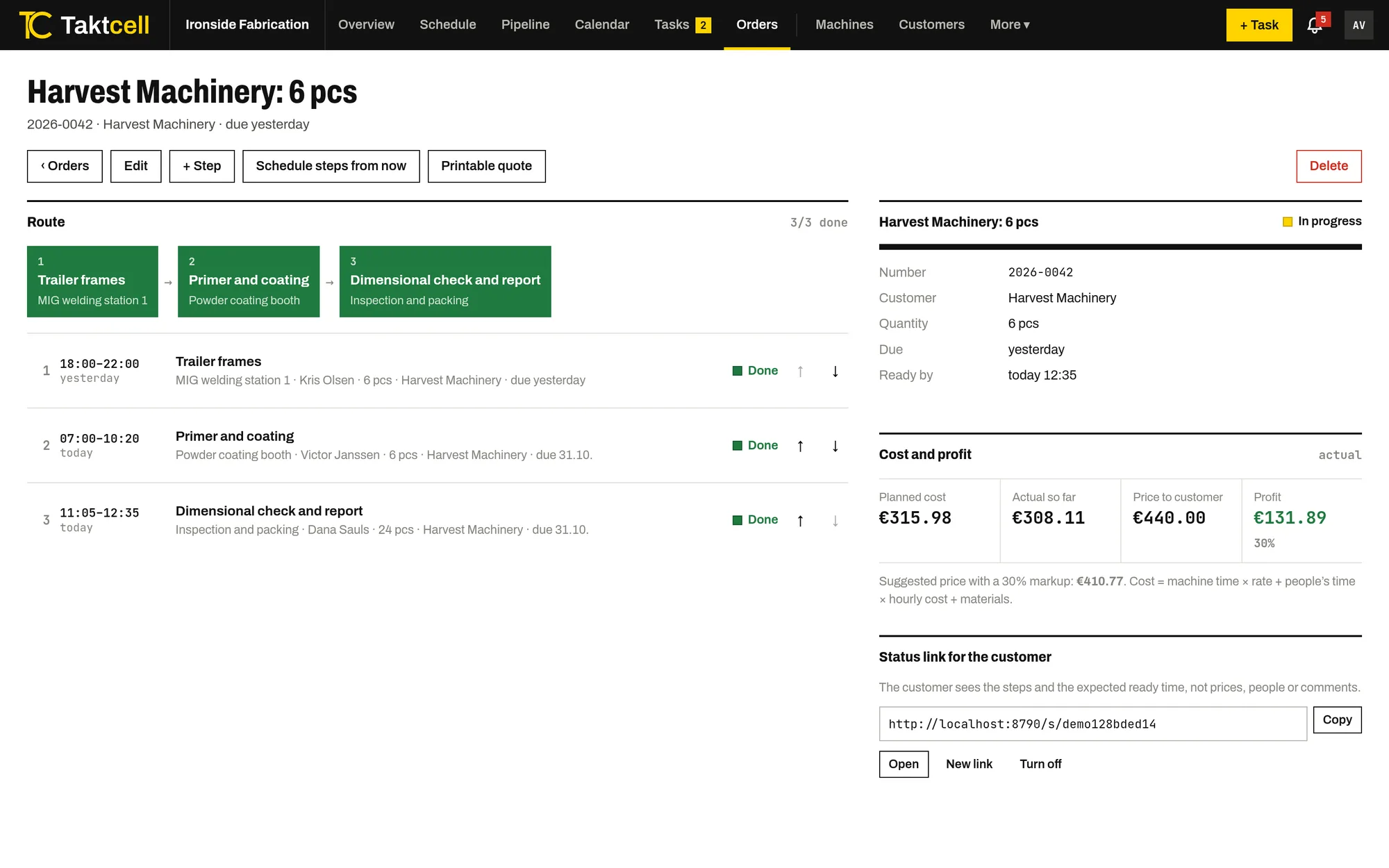
An order as a route through three machines, with each step's time, status and the cost and profit panel

Shop floor app

Your team marks jobs as started and finished from their own phones. The timer records the time worked.

  • Each person sees their own jobs in order
  • Comments and photos on every job
  • Breakdown reports with an alert to the supervisor
  • No terminal or desktop computer needed
Read more
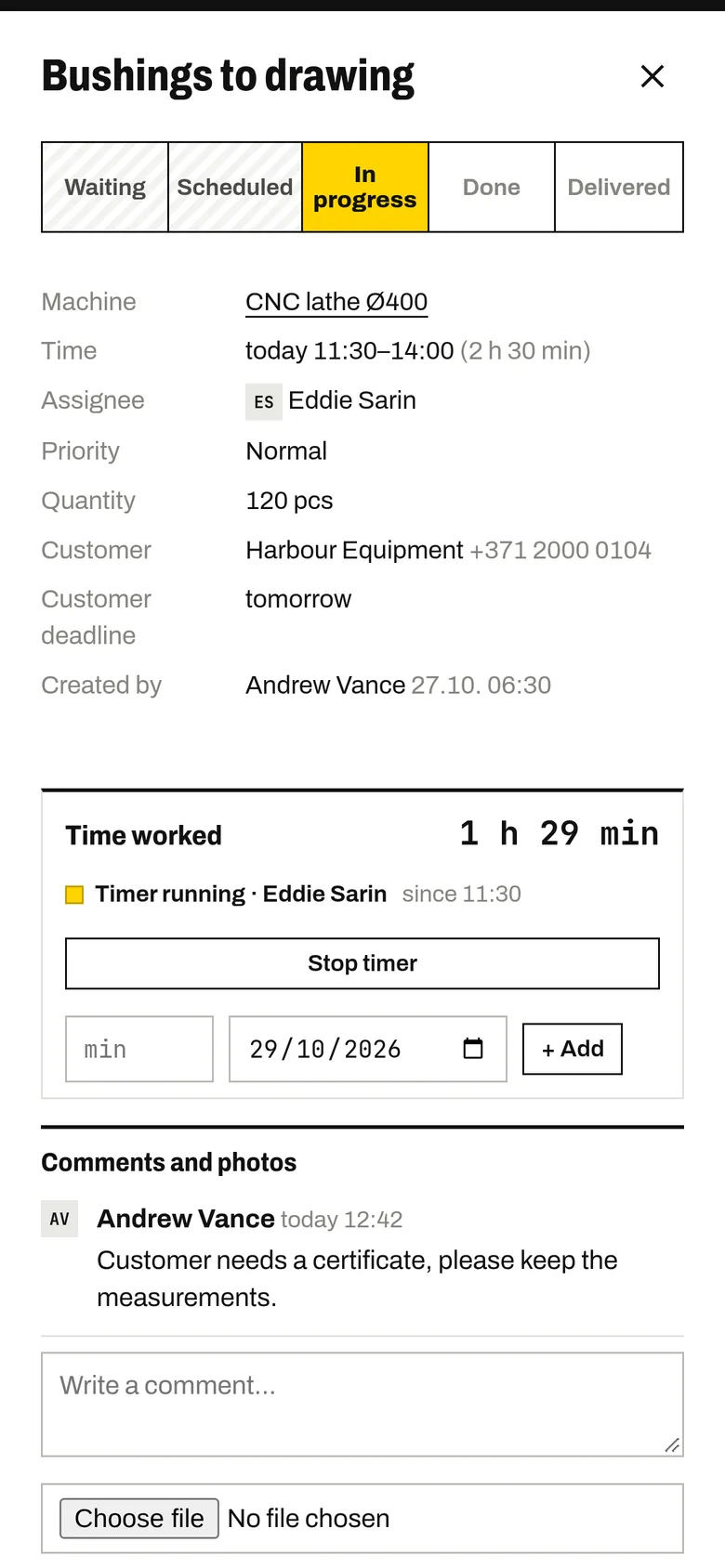
A job on a worker’s phone with status buttons, a running timer and a supervisor’s comment

Machine maintenance

Planned maintenance takes the machine’s time in the schedule, and a breakdown blocks it until it is fixed.

  • Live status for every machine
  • Maintenance and repair history with costs
  • Alerts to people whose jobs may be delayed
  • Reminders before planned service
Read more
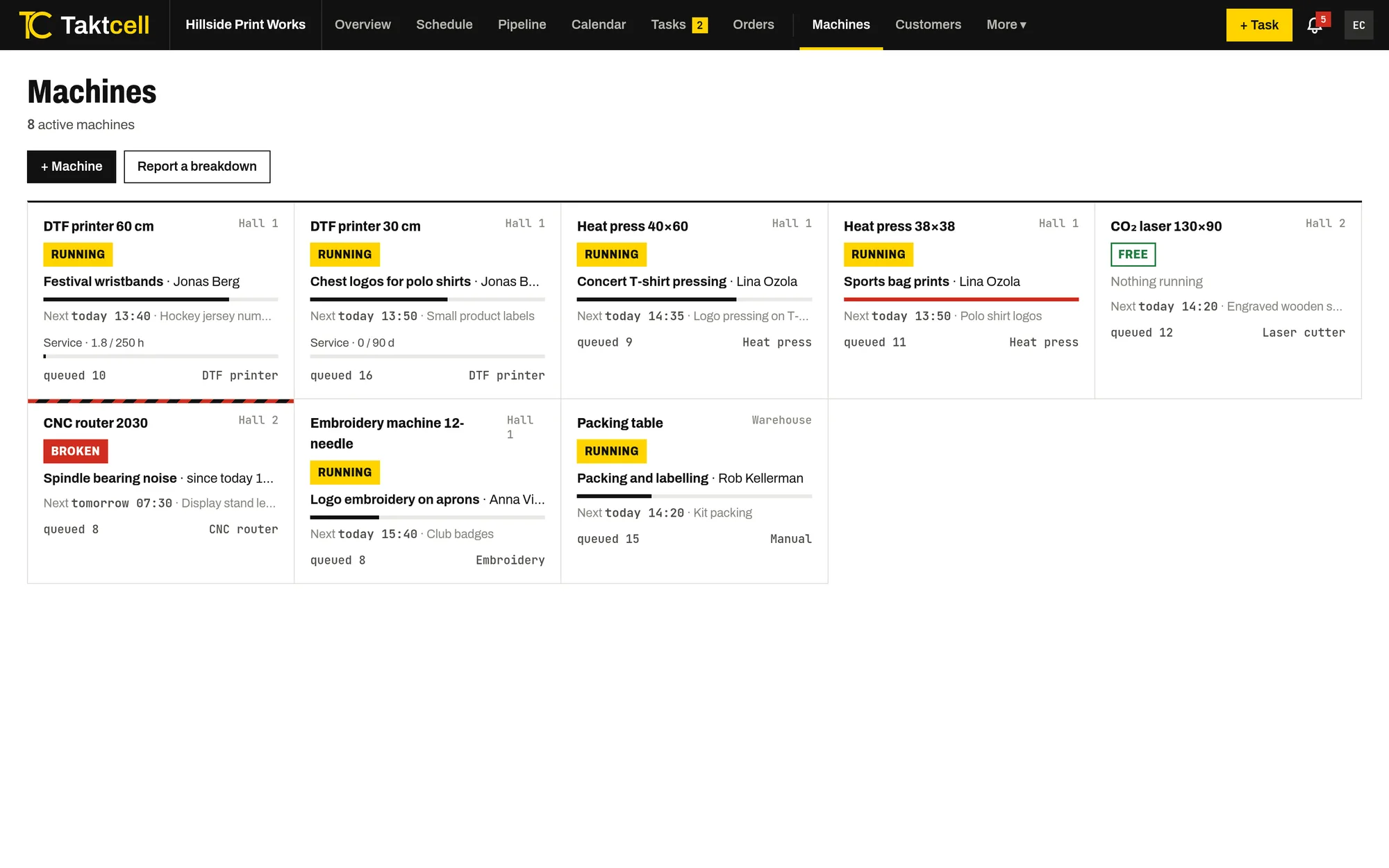
Machine list showing which machines are running, free or broken down

Job costing and profit

Every job and order shows its cost from machine time, people's time and materials, next to the price and the profit.

  • Hourly rate per machine and cost per person
  • Planned and actual cost side by side
  • Suggested price with your markup
  • Profit by order and by customer
Read more
Order page with planned and actual cost, price to the customer and profit

Materials and stock

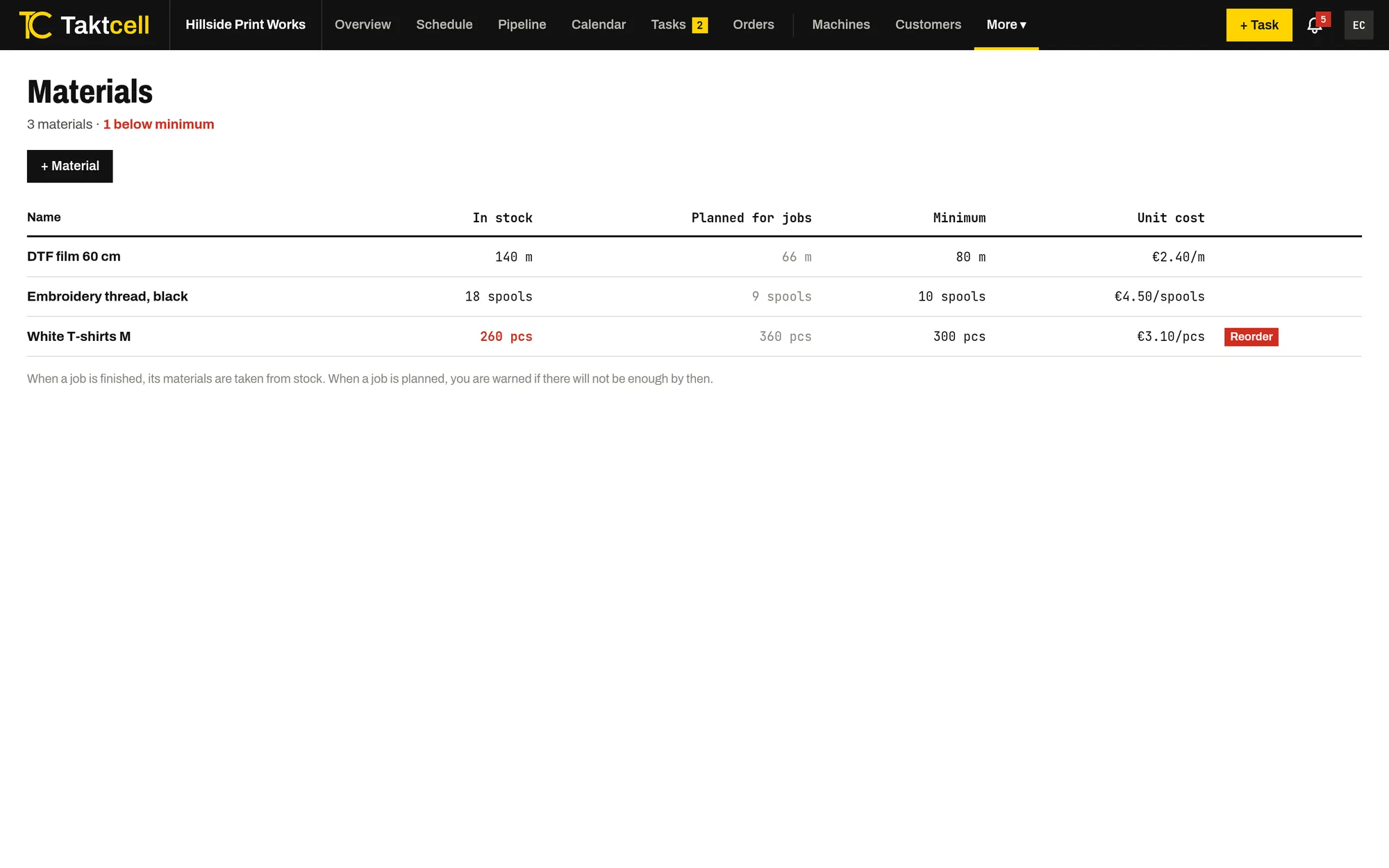
Stock for the materials your jobs use up. A finished job takes its materials from stock, and planning warns when there won't be enough.

  • Stock, minimum level and unit cost
  • Taken from stock when a job is done
  • Warning when planned work needs more than you have
  • Receipts and stocktakes with history
Read more
Materials list with stock, planned use, minimum level and unit cost

Reports

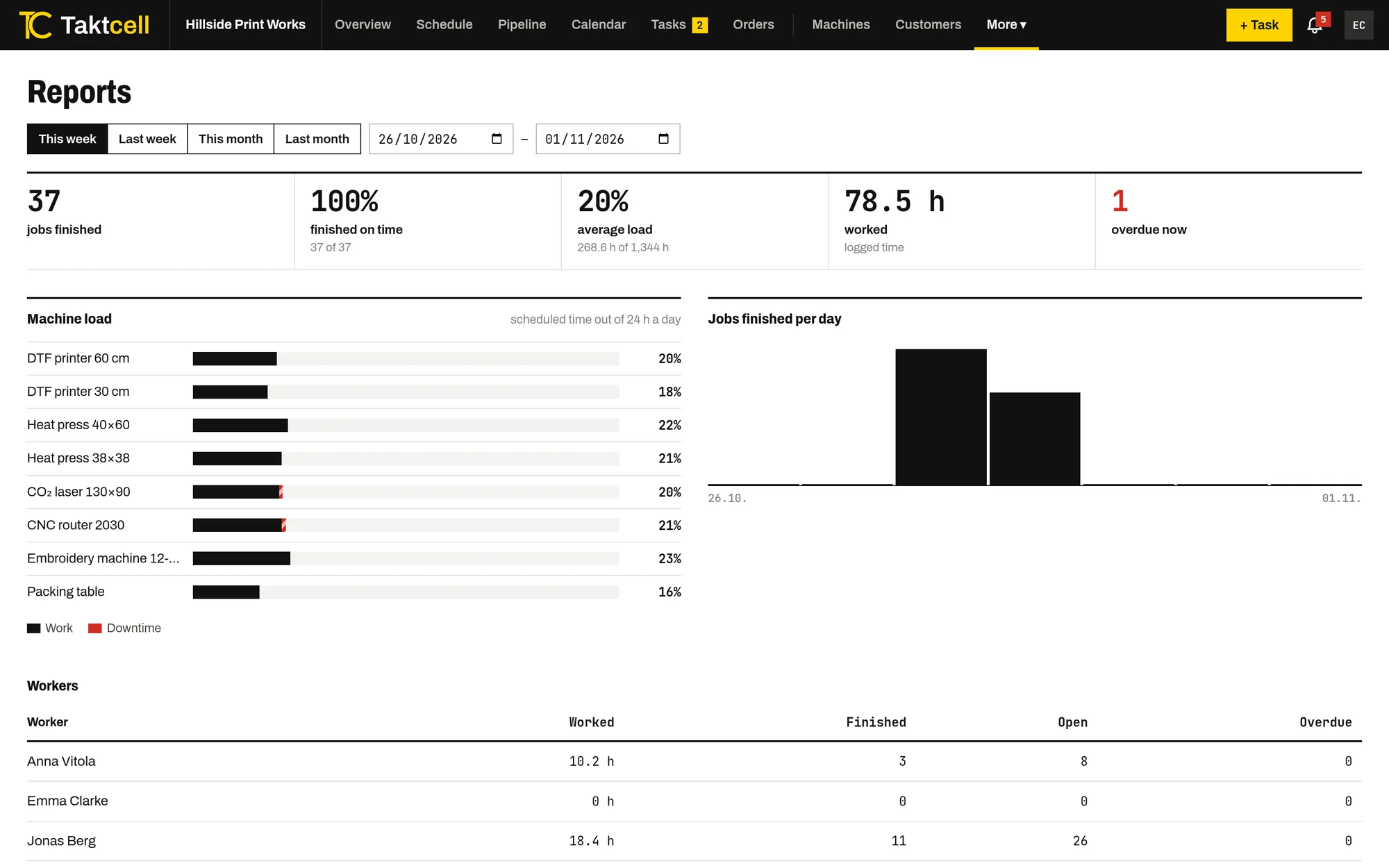
Machine utilisation, downtime, on-time completion and hours worked per person for any period.

  • This week, this month or your own date range
  • Overdue jobs in one list
  • Export to Excel
  • Full database backup
Read more
Reports page with machine utilisation bars, jobs completed per day and hours worked per person

Built around machines and people

Most planning tools are built around projects or orders. Taktcell starts from the machines on your floor and the people who run them, because that is where the capacity is.

Every job belongs to one machine and, usually, one person. That makes the schedule, the phone app and the reports describe the same thing.

Roles and rules

There are two roles. Admins plan, approve and change everything. Workers see the schedule, update their own jobs and can suggest new jobs.

Admins choose in the settings whether suggested jobs need approval, whether workers may report breakdowns and who may mark a job as delivered.

English and Latvian

Every user picks their own language. Notifications arrive in that language too.

Start with your machines and one week’s schedule

Create an account and add your machines. You can invite your team once the schedule is ready.

Create account