
Production scheduling by machine
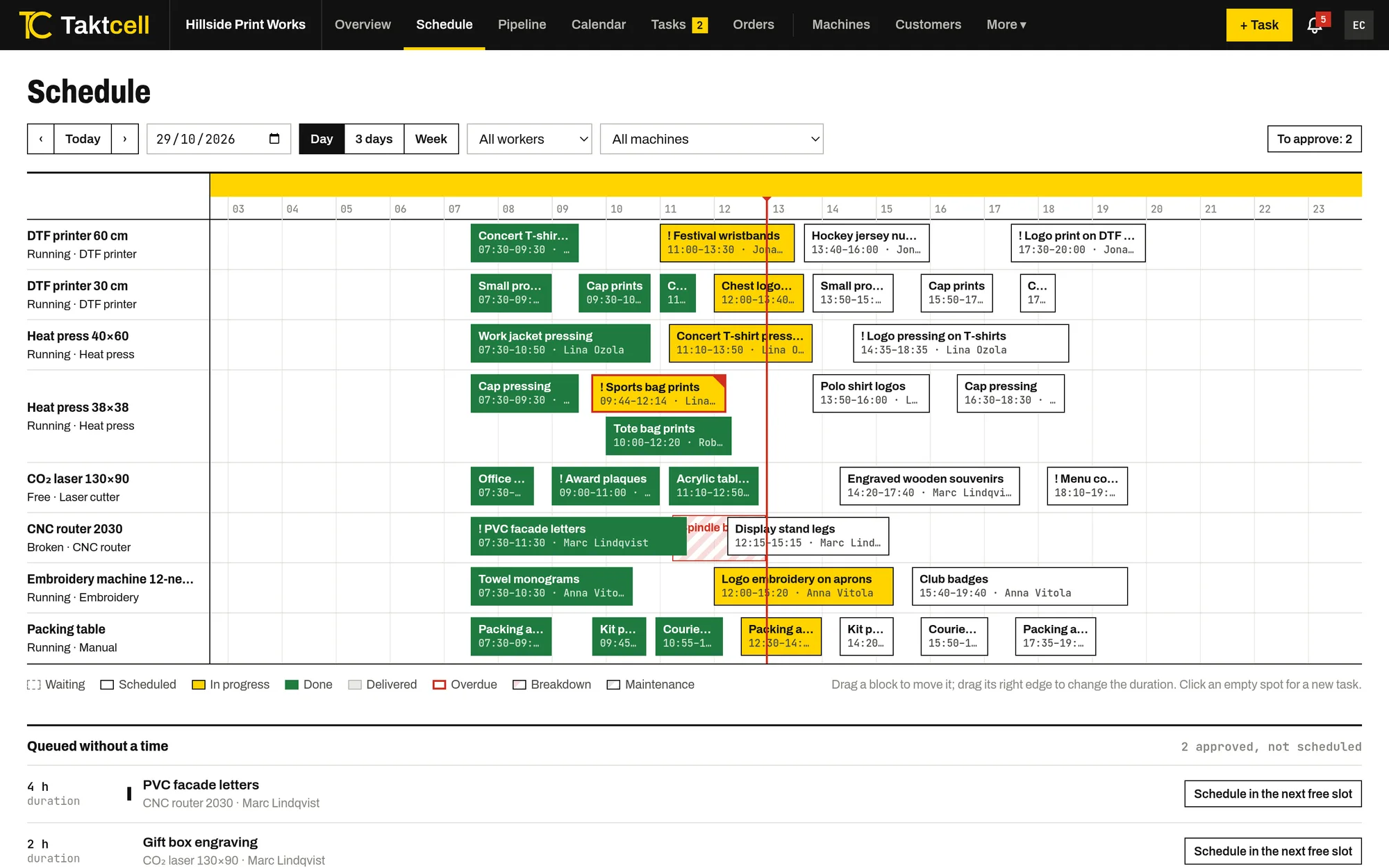
Every machine is a row and every job is a block in time. You see the whole floor at once and change the plan by dragging.
One time line for the whole floor
Switch between a day, three days and a week. The red line shows the current time, and each block shows the job, its time and the person responsible.
Blocks are coloured by status: waiting, scheduled, in progress, done and delivered. An overdue job has a red frame.
Move and resize by dragging
Drag a block to another time or another machine. Drag its right edge to change the duration. Click an empty spot to create a job at that time.
- Snaps to 15 minutes
- Filter by machine or by worker
- Jobs without a time wait in a queue under the schedule
Conflicts before they happen
When you save a job, Taktcell checks the slot. It warns you, and still lets you save, if the job overlaps another job, falls into planned maintenance or a breakdown, or gives the same person two jobs at once.
If a job has a customer deadline and its planned end is later, you see that warning too.
Next free slot and queue packing
“Next free slot” finds the first gap on the machine for the job’s duration. On a machine’s page you can change the order of its queue and pack it back to back from now; jobs already in progress stay where they are.
Any hour of the day
There are no working-hour limits. You can plan night shifts, weekends and machines that run around the clock.
Pipeline and calendar
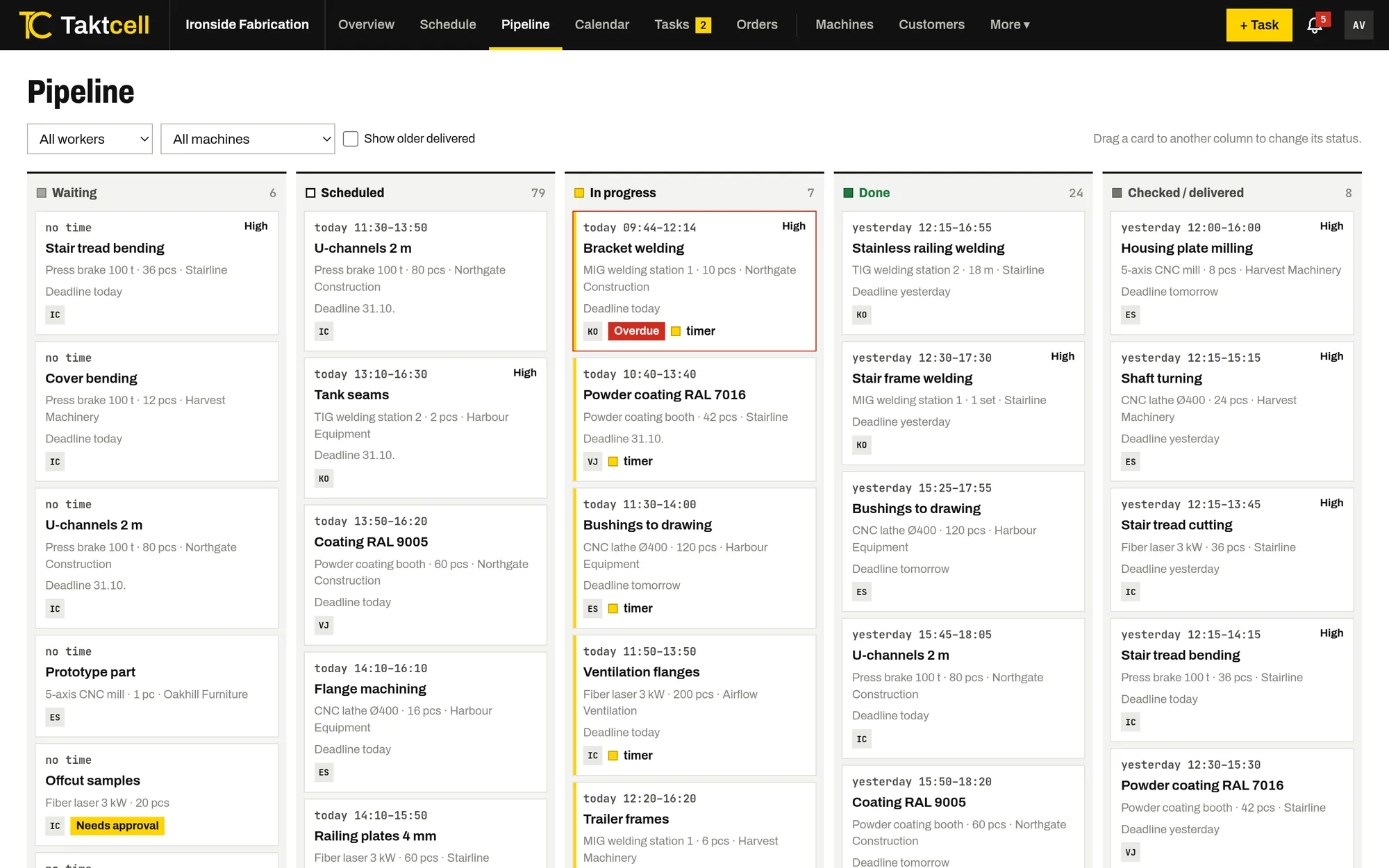
The pipeline shows the same jobs as cards in five columns: waiting, scheduled, in progress, done and delivered. The month calendar shows jobs, maintenance and customer deadlines, and a click on a day opens that day’s schedule.
Other features
Multi-step orders
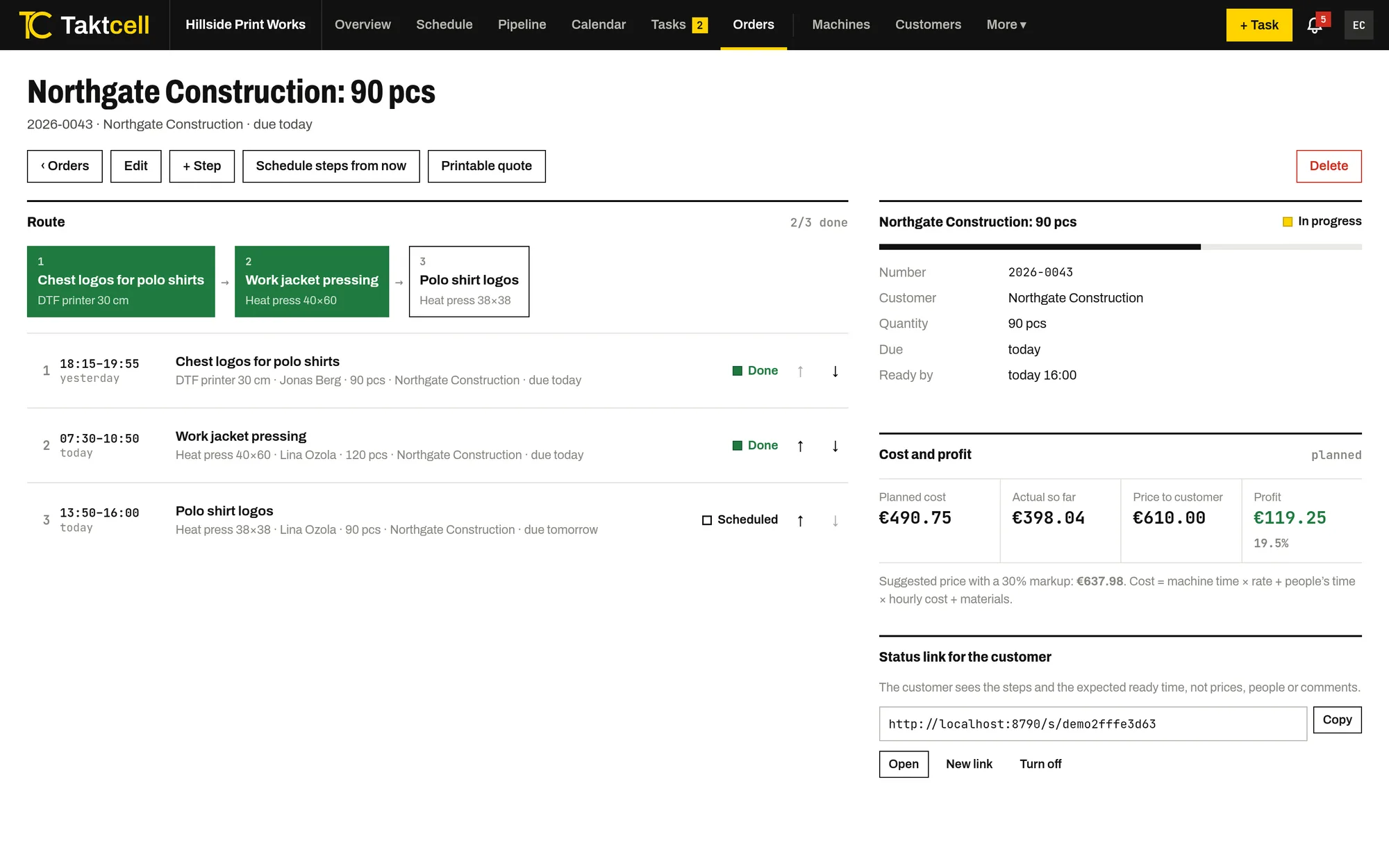
One order, several machines in sequence. Steps are scheduled one after another, and a late step pushes the next ones back.
Read more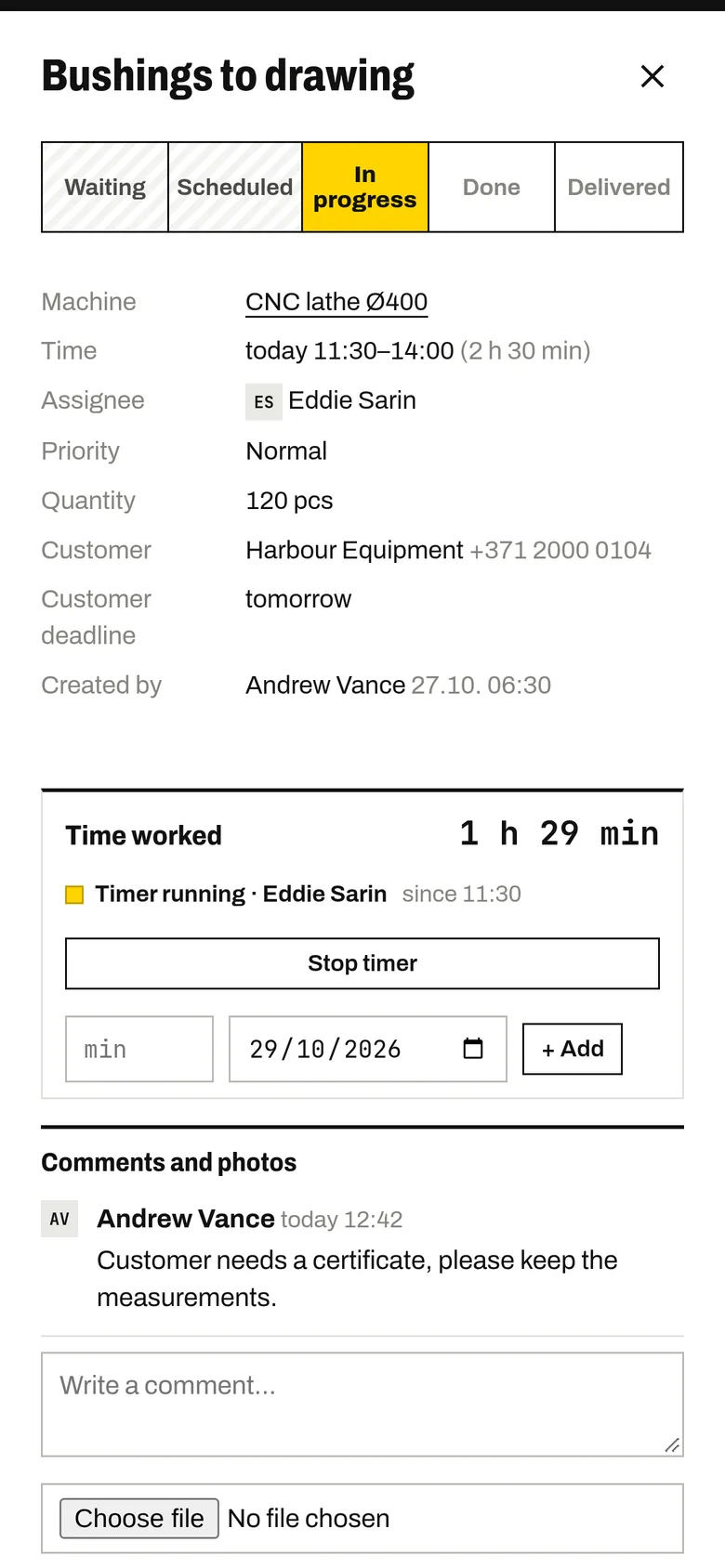
Shop floor app
Your team marks jobs as started and finished from their own phones. The timer records the time worked.
Read more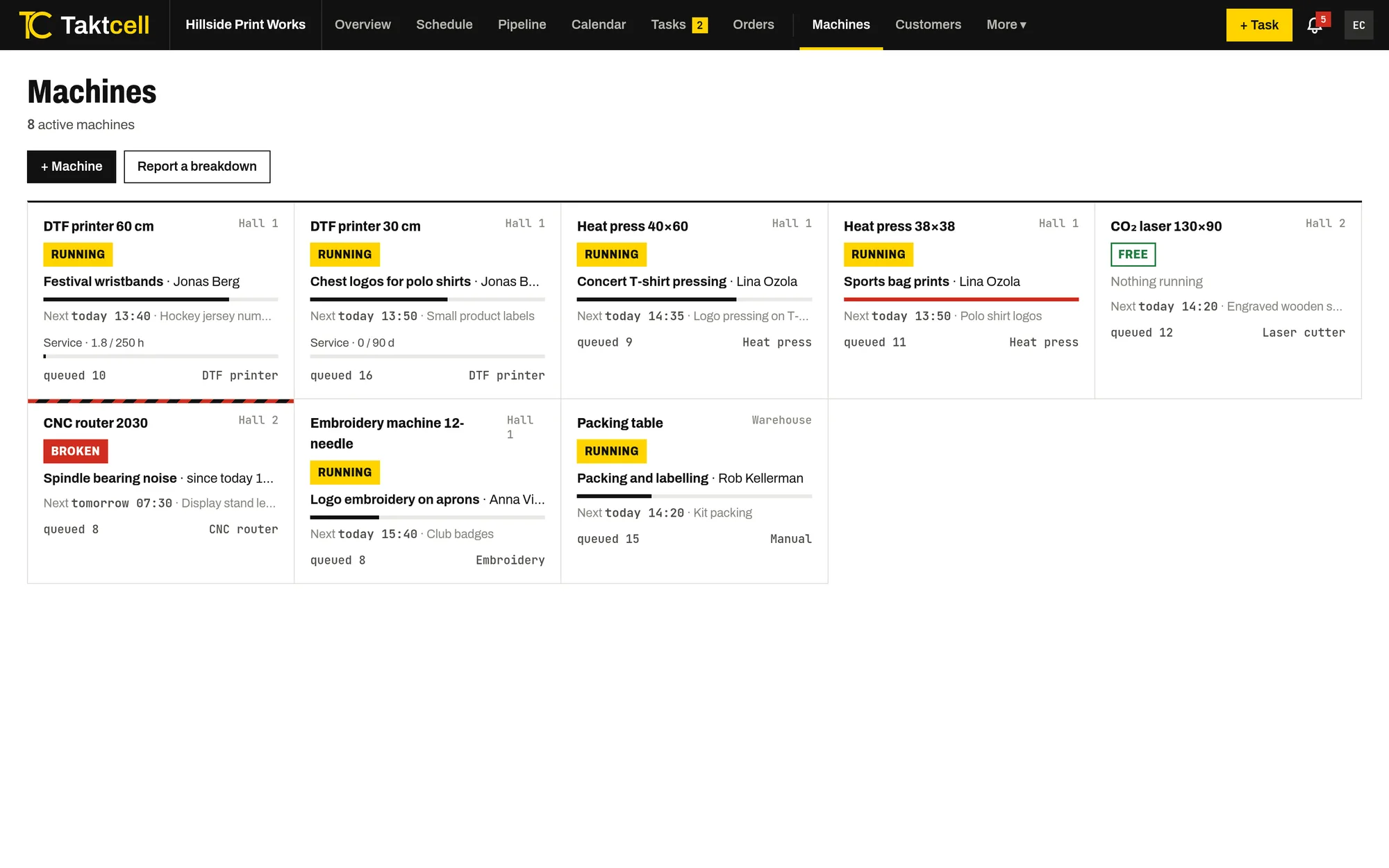
Machine maintenance
Planned maintenance takes the machine’s time in the schedule, and a breakdown blocks it until it is fixed.
Read more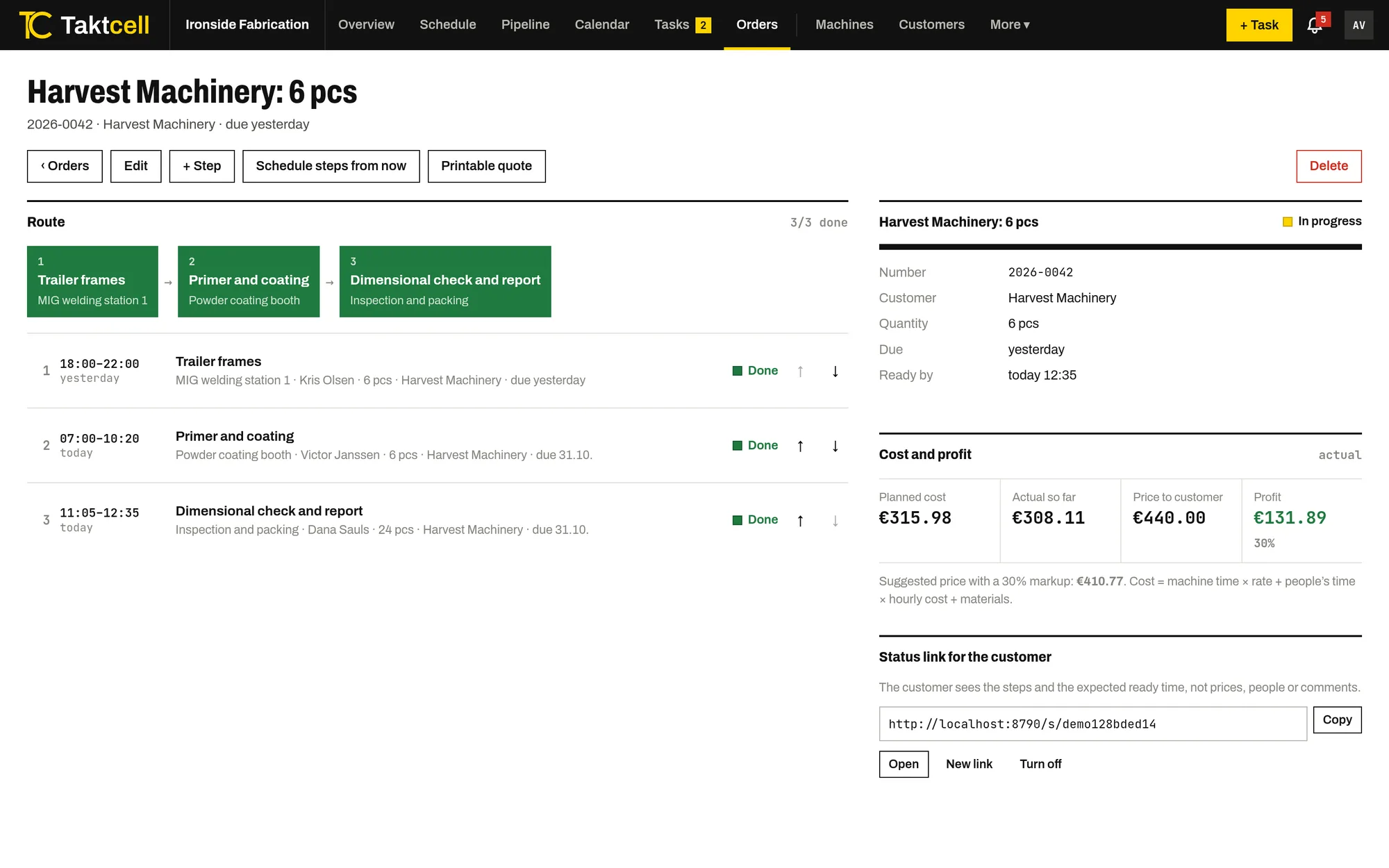
Job costing and profit
Every job and order shows its cost from machine time, people's time and materials, next to the price and the profit.
Read more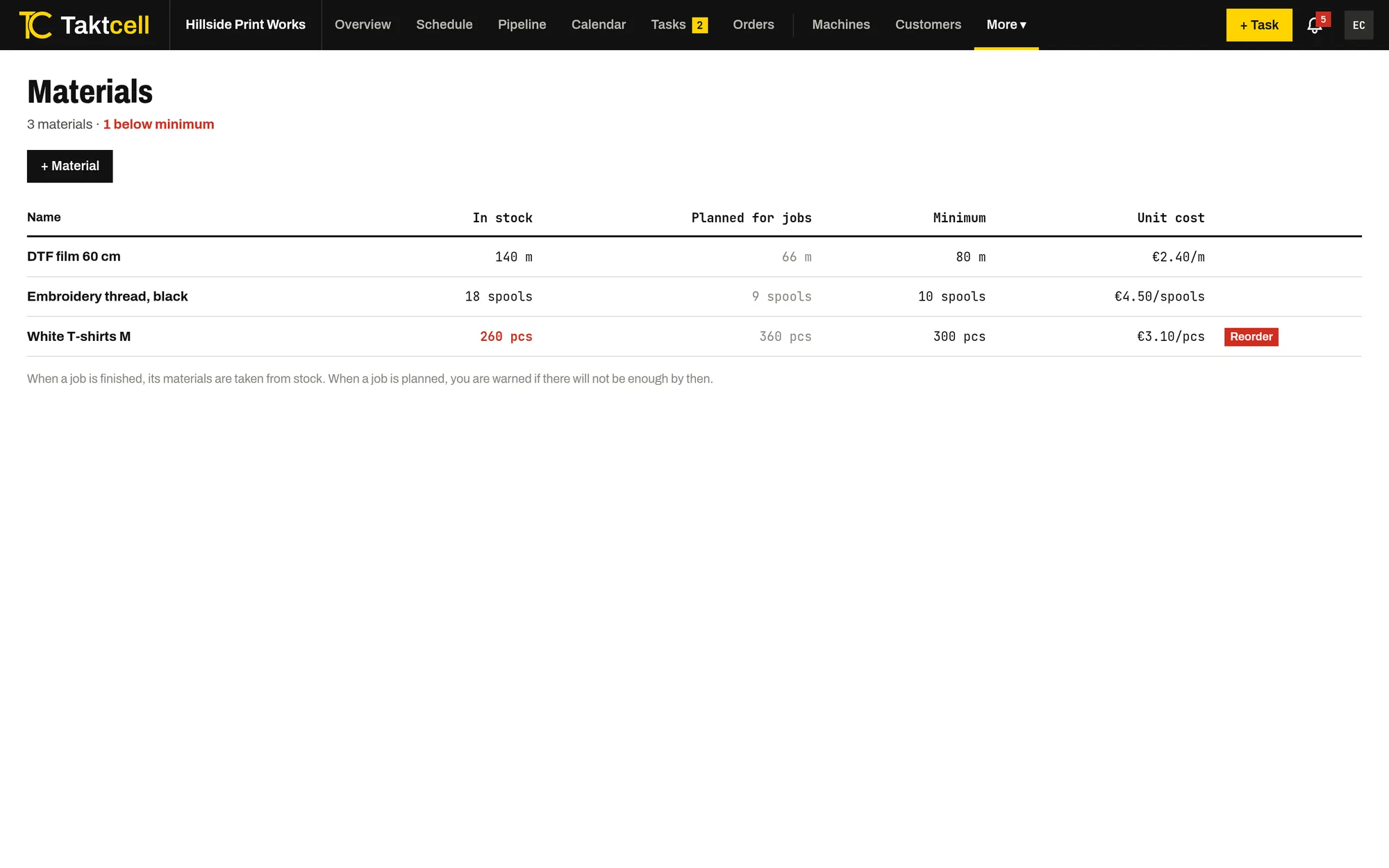
Materials and stock
Stock for the materials your jobs use up. A finished job takes its materials from stock, and planning warns when there won't be enough.
Read more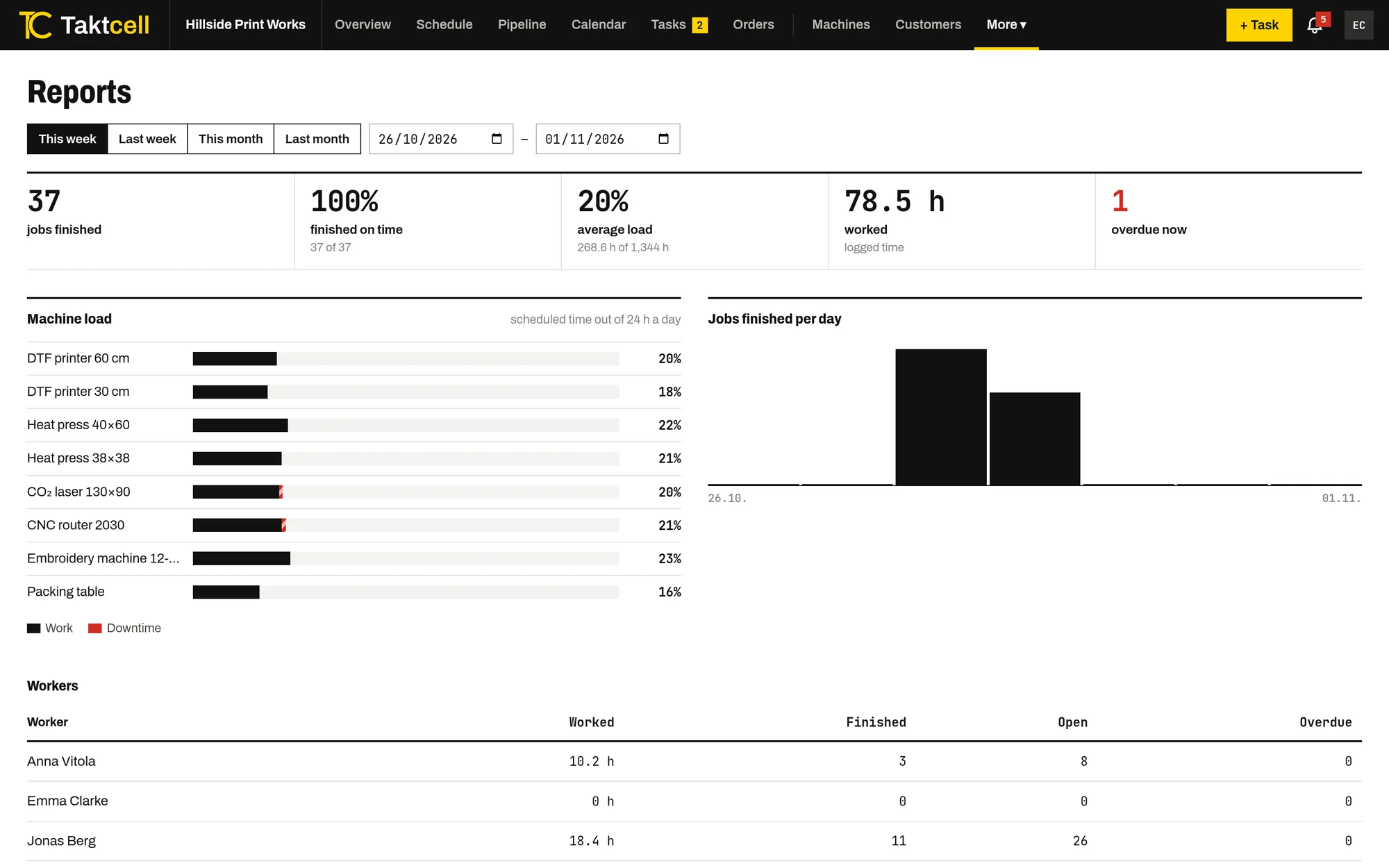
Reports
Machine utilisation, downtime, on-time completion and hours worked per person for any period.
Read more