
Multi-step orders through several machines
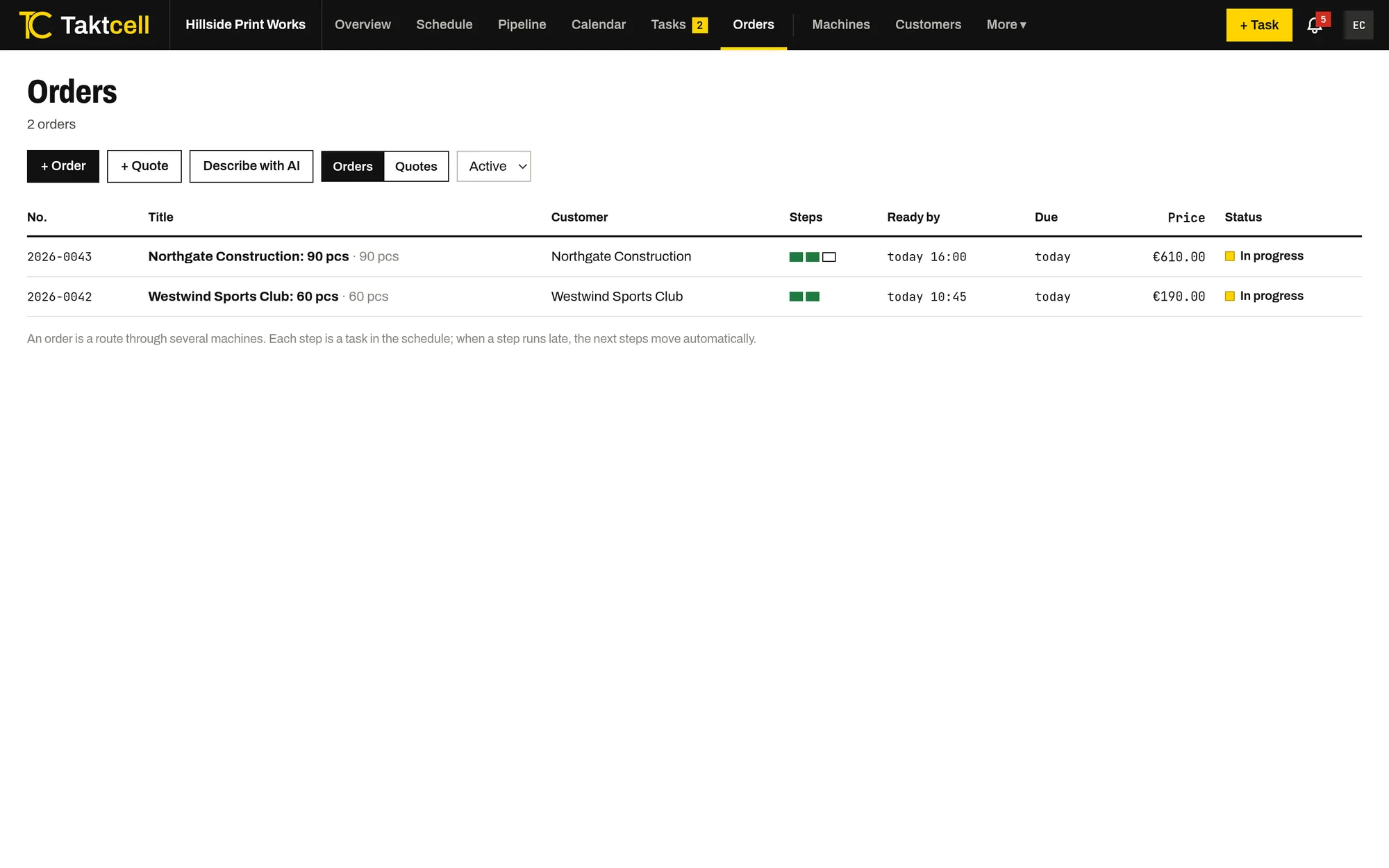
Printing, then pressing, then packing. An order in Taktcell is a route: each step is a job on its own machine, planned after the one before it.
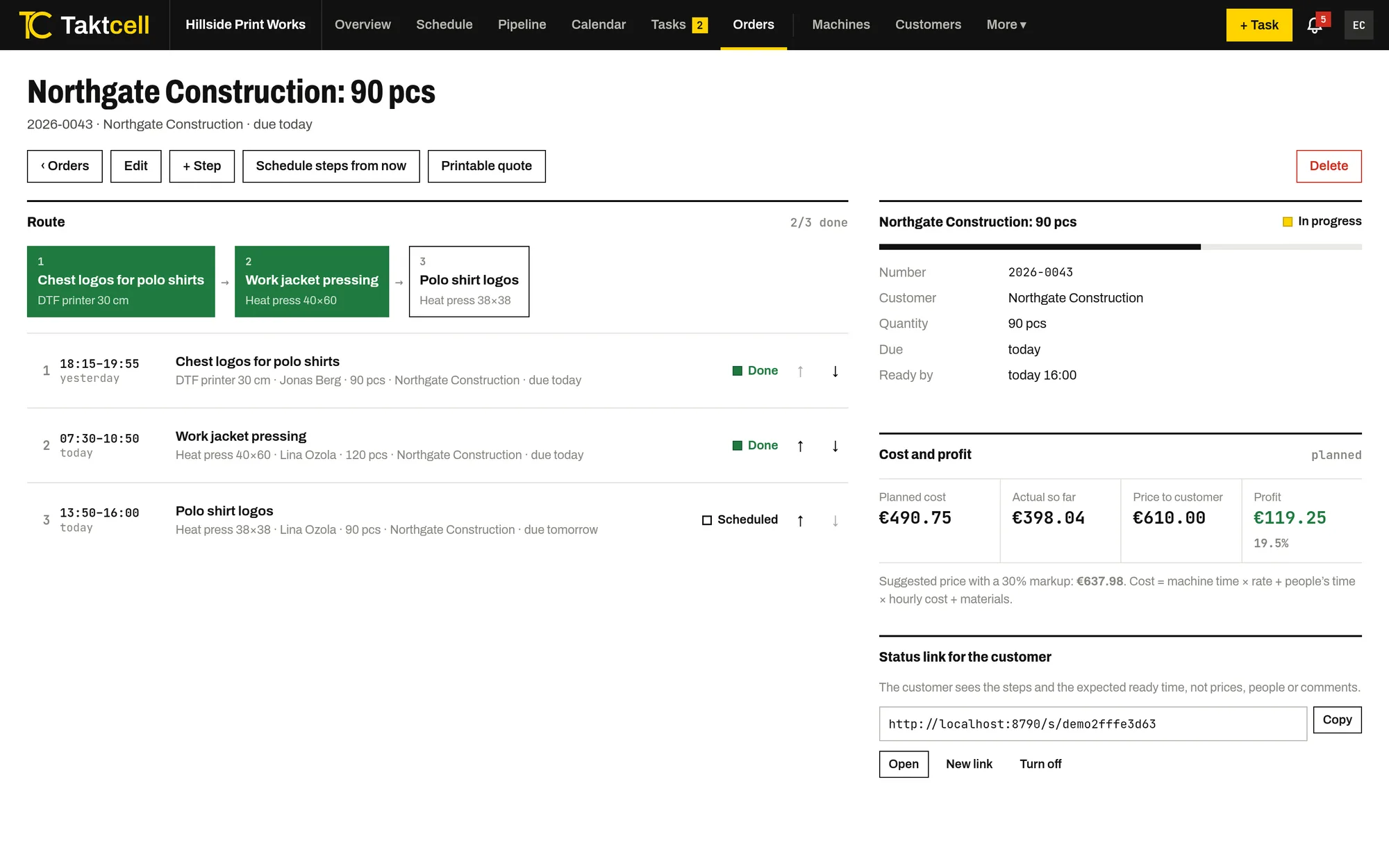
One form for the whole route
Enter the order, the customer, the quantity and the due date, then add the steps in order: the machine, a short name, the duration and the person responsible. Taktcell creates a job for each step and puts each one into the next free slot on its machine after the previous step.
- Steps can be added, reordered and rescheduled later
- Each step appears in the schedule, the pipeline and on the worker's phone
- The order shows when it will be ready and warns if that is after the due date
When a step runs late
If a step is moved later or finishes after its planned end, the following steps of the same order move back so they never start before it ends. The people on those steps get a notification with the new time.
Quotes that become orders
Prepare a quote with the planned steps and see its cost and a suggested price. Print it or save it as a PDF. When the customer accepts, one click turns it into an order and schedules its steps.
A status link for the customer
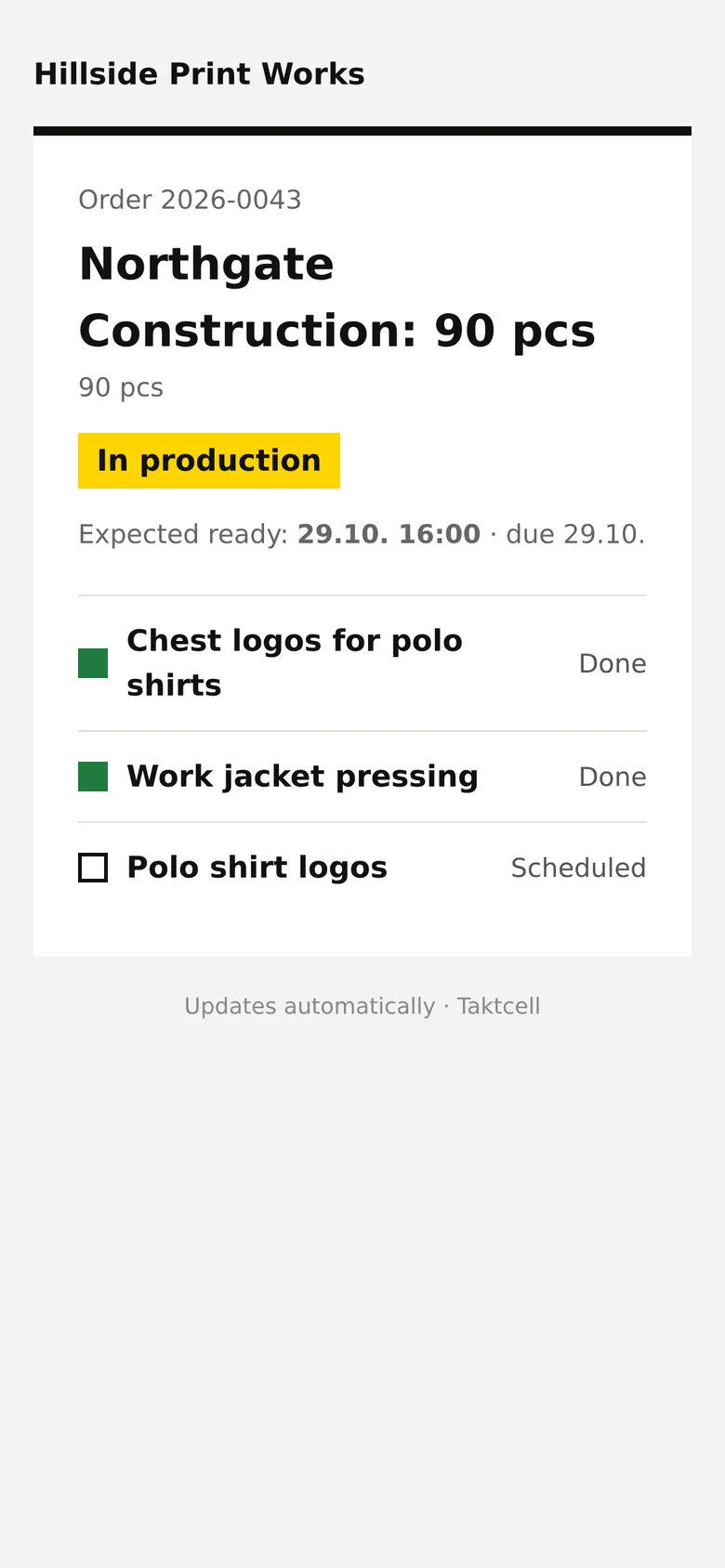
Send the customer a private link. It shows the steps of their order, which are done and when it is expected to be ready, without prices, people or comments. It updates by itself.
Describe it, get a draft
On the Business plan you can describe an order in your own words, and the AI assistant proposes the steps, machines, durations and people. You check the draft before anything is saved.
Other features
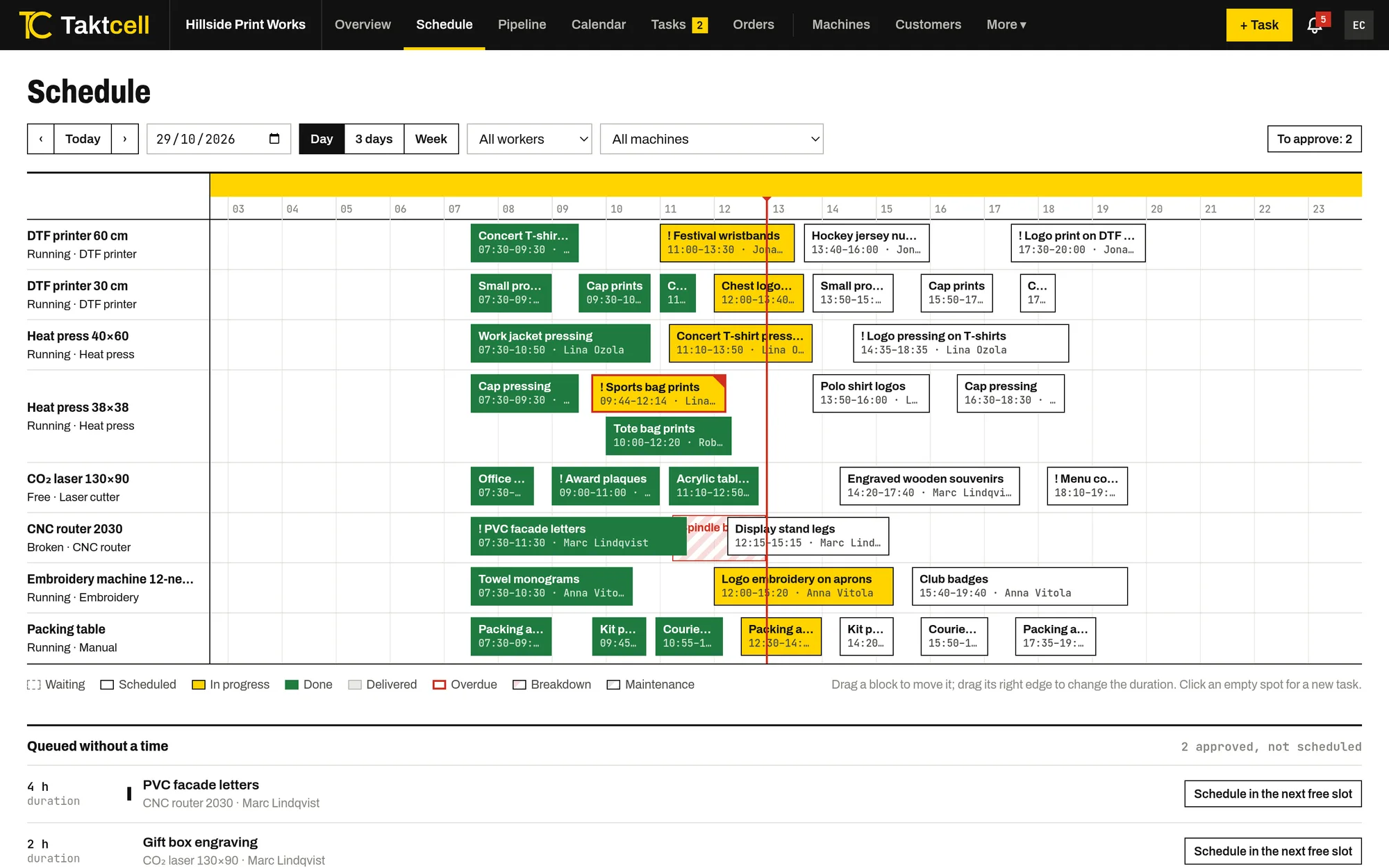
Production scheduling
Every machine on one time line. Drag jobs to another time or machine and see conflicts before they happen.
Read more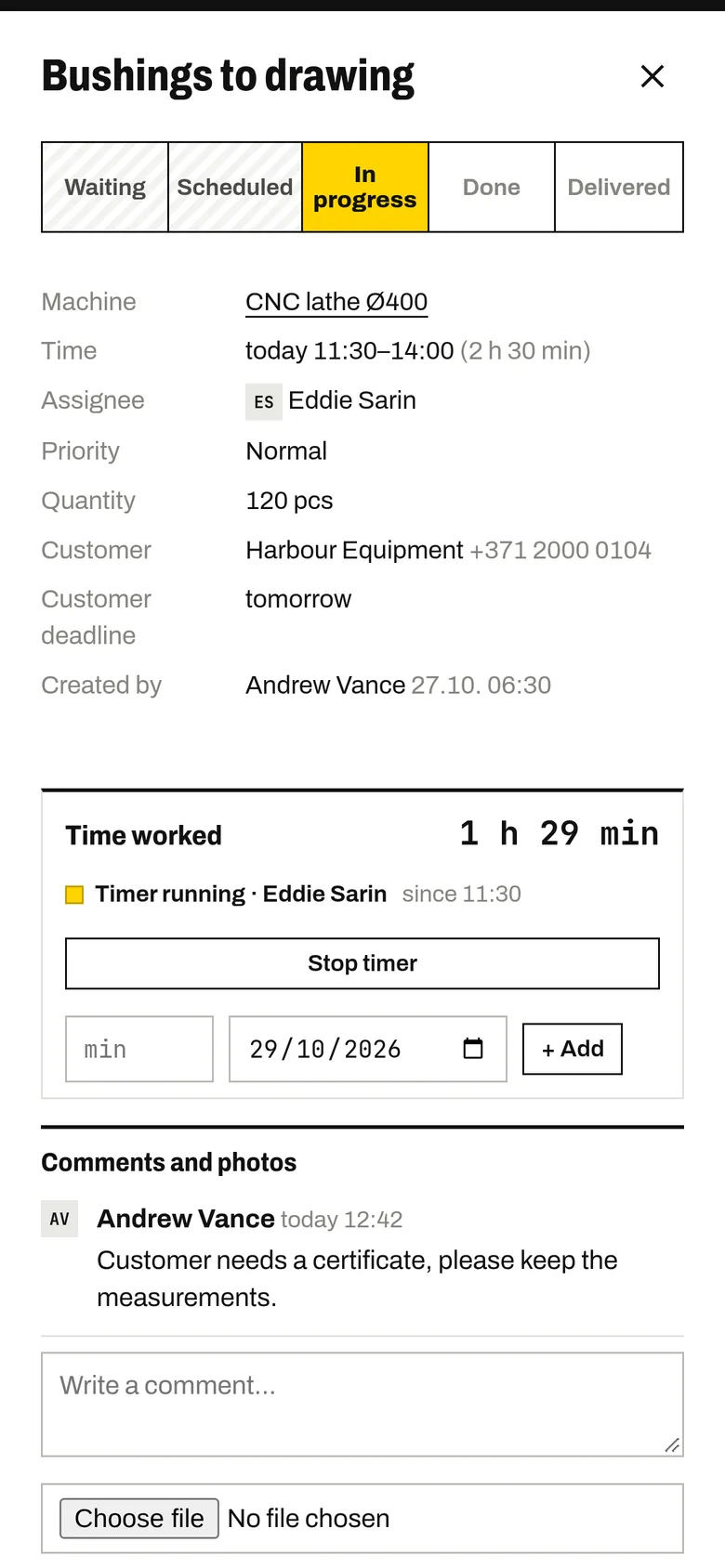
Shop floor app
Your team marks jobs as started and finished from their own phones. The timer records the time worked.
Read more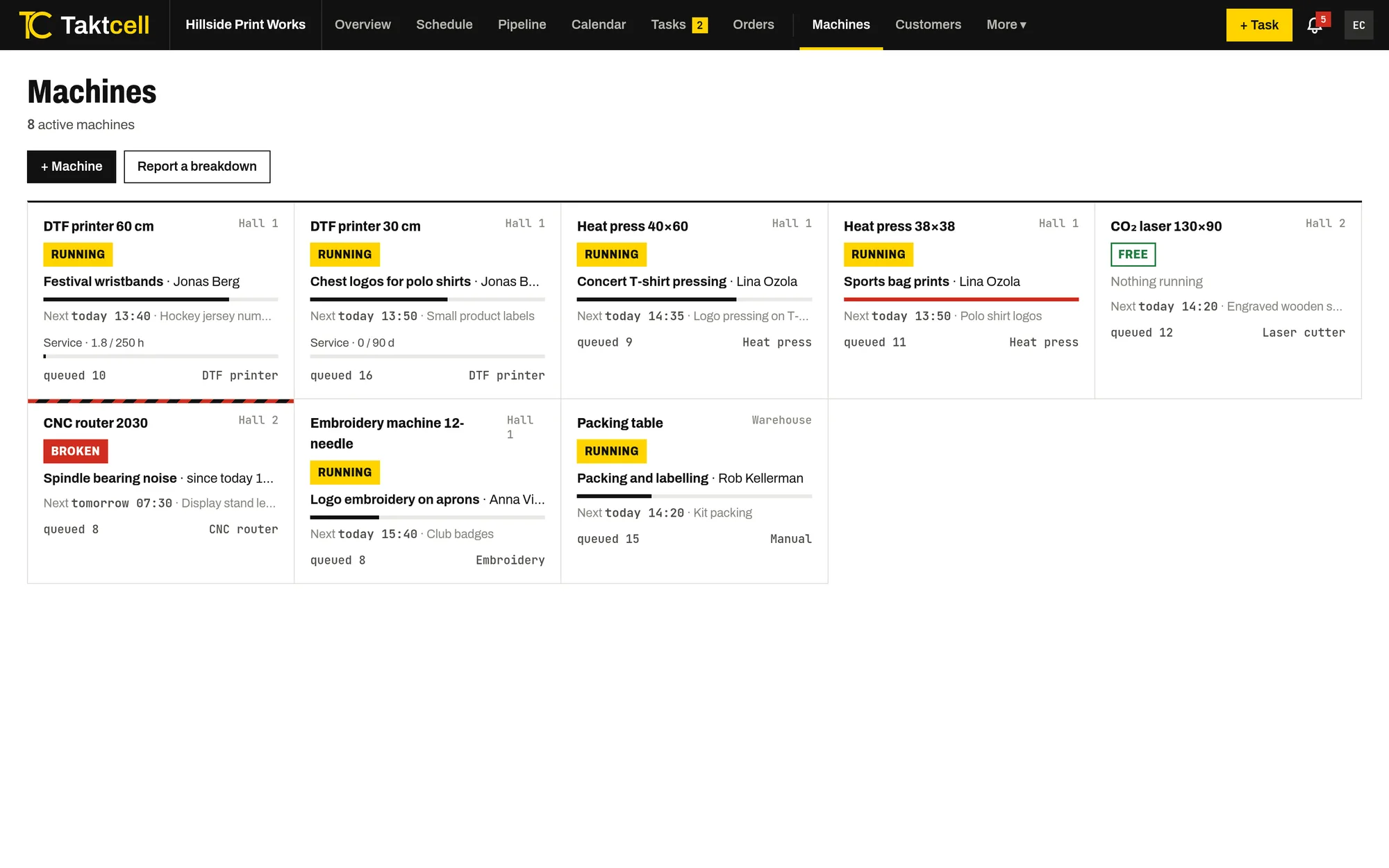
Machine maintenance
Planned maintenance takes the machine’s time in the schedule, and a breakdown blocks it until it is fixed.
Read more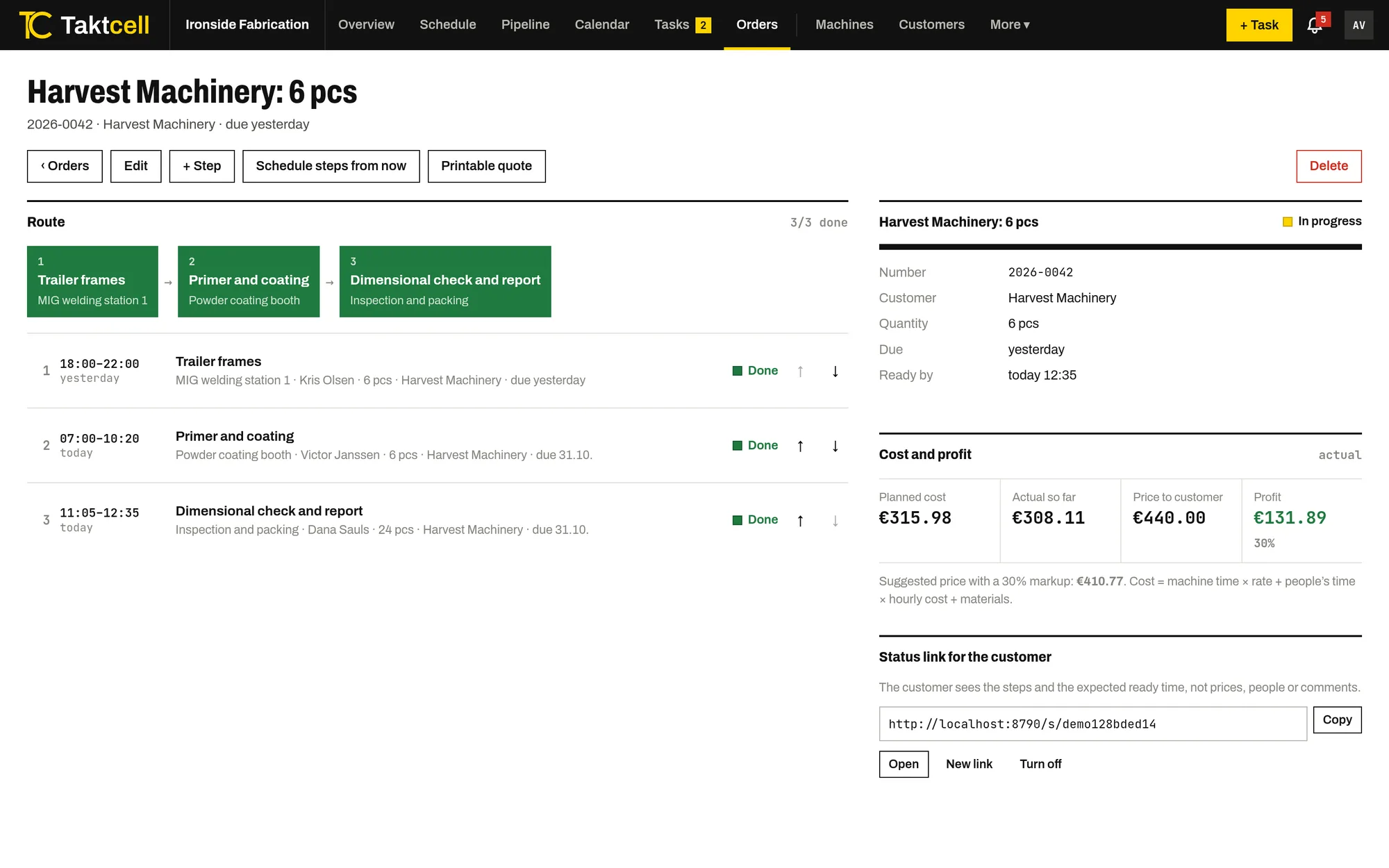
Job costing and profit
Every job and order shows its cost from machine time, people's time and materials, next to the price and the profit.
Read more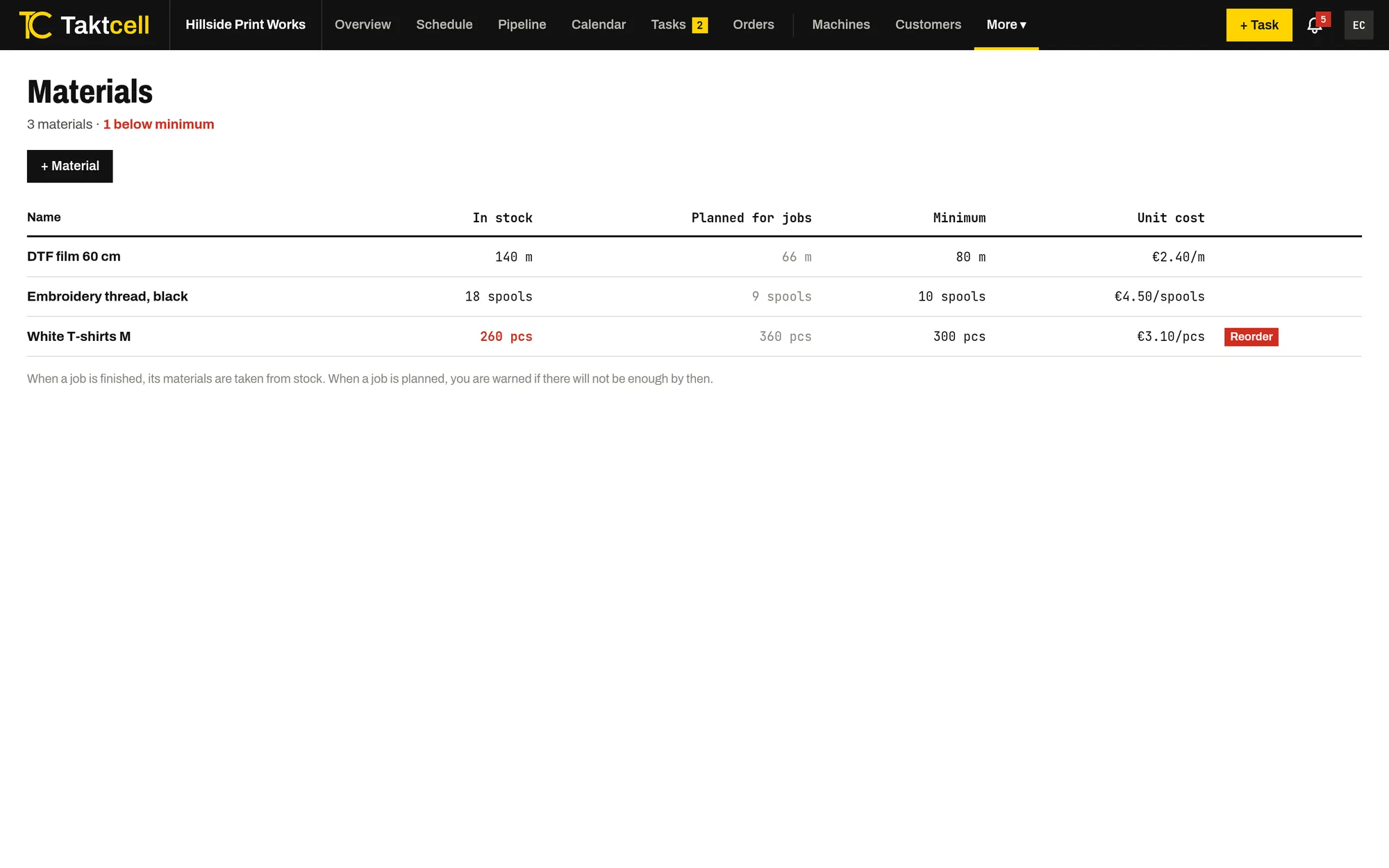
Materials and stock
Stock for the materials your jobs use up. A finished job takes its materials from stock, and planning warns when there won't be enough.
Read more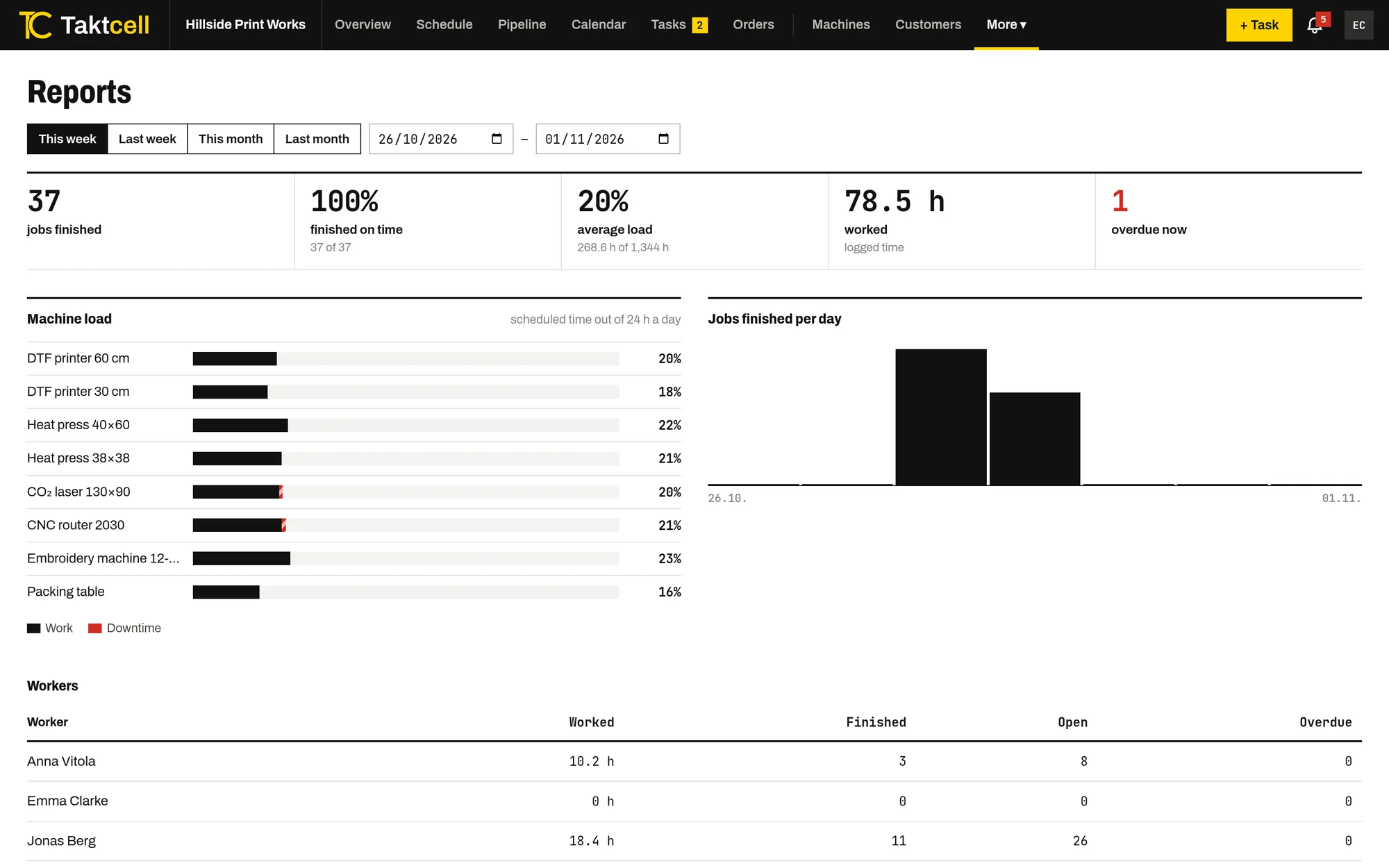
Reports
Machine utilisation, downtime, on-time completion and hours worked per person for any period.
Read more